Even as a tech reviewer, one thing that has remained a bane of my existence is shifting from iPhone to an Android phone or the other way around for testing. Having to find and download all my apps, restoring photos, and the fear of losing my messages keep me up at night. I have tried several tools to make the transition more seamless, but they only ended up causing more trouble. So, I recently tried out Wondershare MobileTrans V5.0 , and let me tell you, it turned out to be a game-changer.
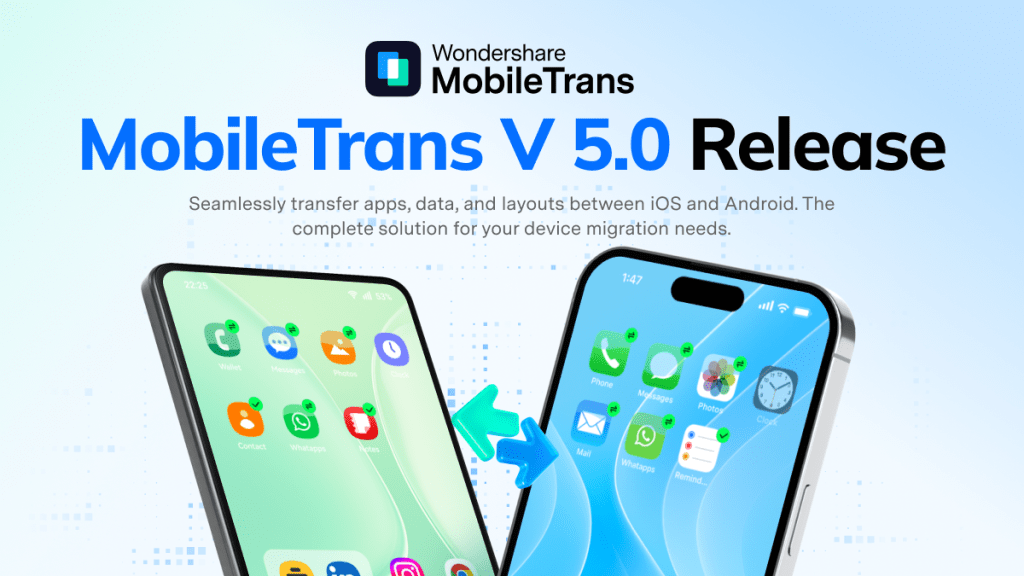
What is MobileTrans v5.0 and What Makes it Special?
Mobile Trans is a popular data transfer tool brought to you by the folks at Wondershare. You might already know about Wondershare; it is a globally recognized brand with over 1.5 billion users across 200 countries. They are the name behind a popular video editing app called Filmora.
Their MobileTrans tool is the fastest and most complete data transfer tool that anyone can use to move between devices and ecosystems. It has helped many people see through the issues of migrating from one device to another, whether it’s Apple, Android, or both. I have even used this tool in the past to transfer data from an Android device to my new iPhone at the time.
They are coming out with MobileTrans version 5.0 , which builds upon the robust features that the app has offered over the years. Their new feature set makes it easy to transfer and recover data more efficiently. Let me take you through everything new in MobileTrans v5.0.
Highlight Features of Wondershare MobileTrans v5.0
- WhatsApp transfer tool achieves 90% speed boost over official methods, outpaces competitors by 60%— performance gains most significant with large datasets exceeding 50GB
- App-to-app transfer from one device to another at 50% higher transfer speeds
- Supports all App Store apps to seamlessly switch between devices
- Restore your entire home screen setup with the Desktop layout transfer
- Retrieve deleted WhatsApp texts using the Read-and-Burn Message Management
- Transfer WhatsApp data between Android and iPhone, including texts and media
- Create a backup of your entire phone data to restore it later
- Available on all major platforms, including Android, iOS, Mac, and Windows
Transfer Apps from One Device to Another in Half the Time
My favorite feature of MobileTrans V5.0 is App-to-App transfer. It removes the hassle of installing every app one by one and is 50% faster as well. So you will be done in no time. If you wish to learn how it works, here are the steps to follow:
- To use this feature, download MobileTrans V5.0 on your desktop.
- Set it up and select the App to App option from the left sidebar menu.
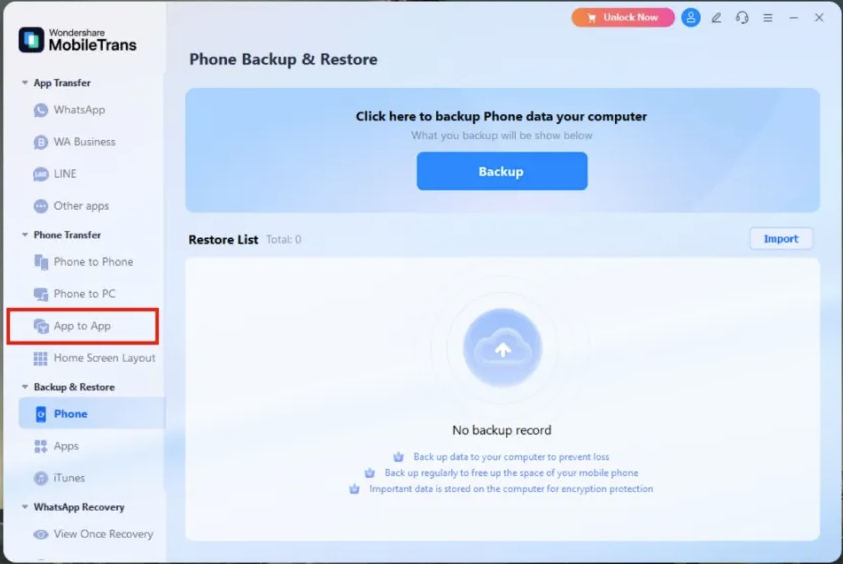
- Next, plug in both your phones to your desktop via a USB cable.
- iPhone users should see a prompt for Trust this computer . Select Trust .
- Android users need to allow USB Debugging access. To do this, follow the instructions shown in the MobileTrans V5.0 app on your desktop.
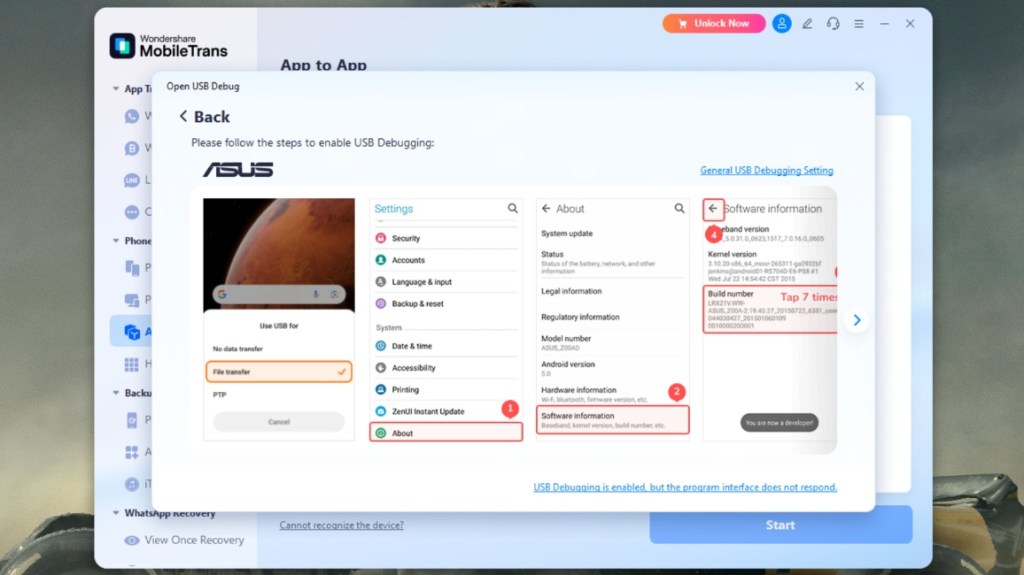
- Once both phones are connected, select the apps you want to transfer.
- If you are trying to transfer apps to your iPhone, you need to enter your App Store account ID.
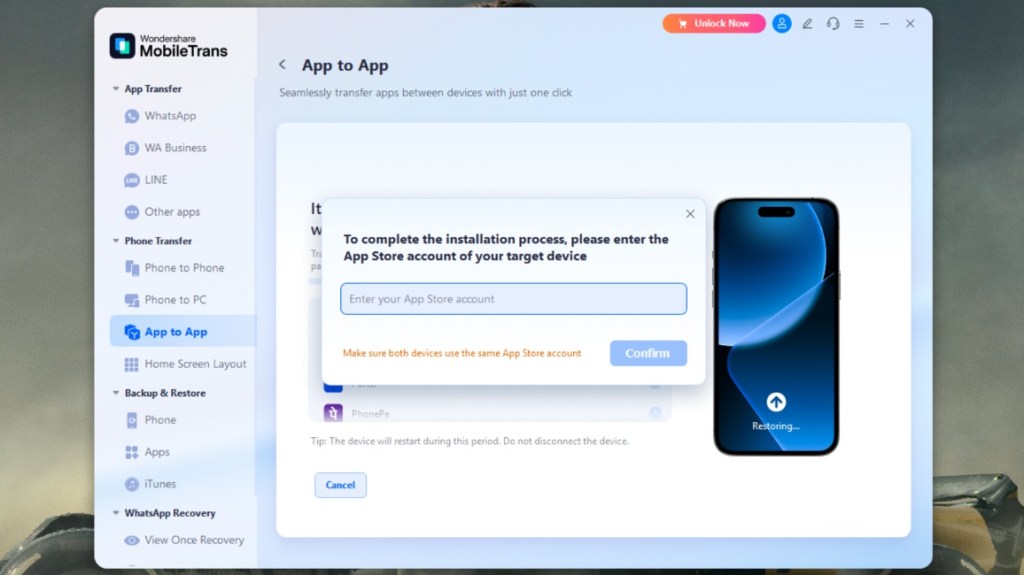
- Now, click on the Start button to initiate the process.
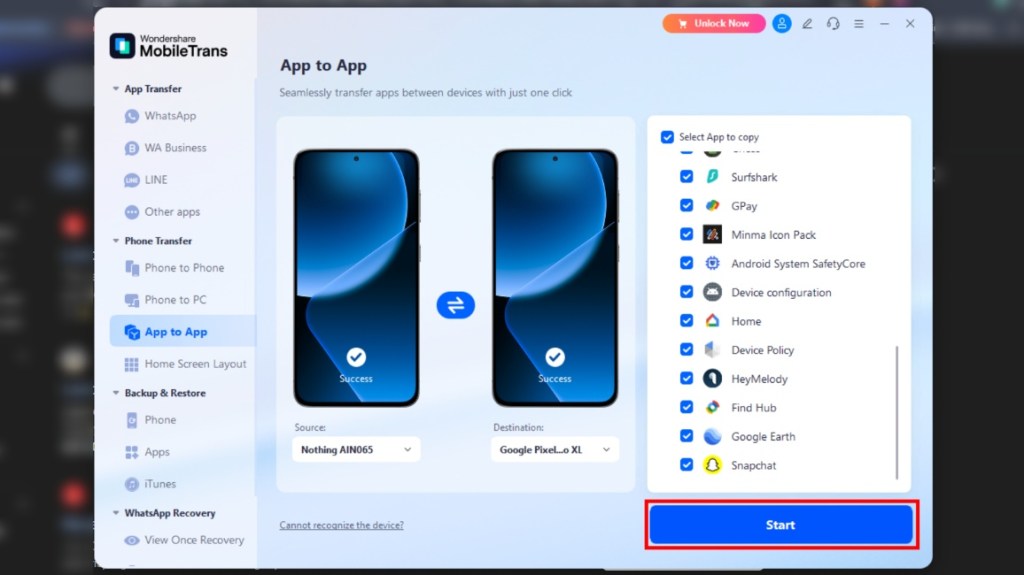
Do not touch your phones while the transfer is taking place. I tried transferring apps from my old phone to another one, and with MobileTrans V5.0, it only took 6 minutes to install over 40 apps. This will be particularly helpful for those managing numerous apps exceeding 50GB in size.
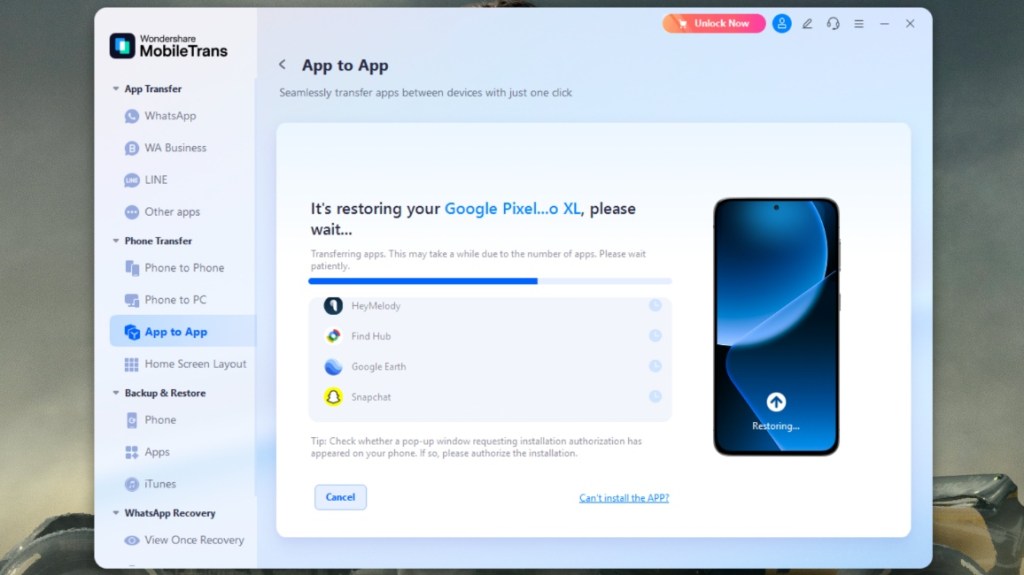
View and Download WhatsApp View Once Photos/ Videos/ Audios with MobileTrans
Managing View Once messages from your WhatsApp can be tricky, especially if you want to revisit important content. Luckily, MobileTrans allows you to view and store these view-once chats with ease, right after they’re sent to you.
Before using the feature, ensure your WhatsApp account is properly linked. Then, follow the steps below to unlock access to once-viewed messages. And this feature is currently available in English. Please switch your language to English to use it.
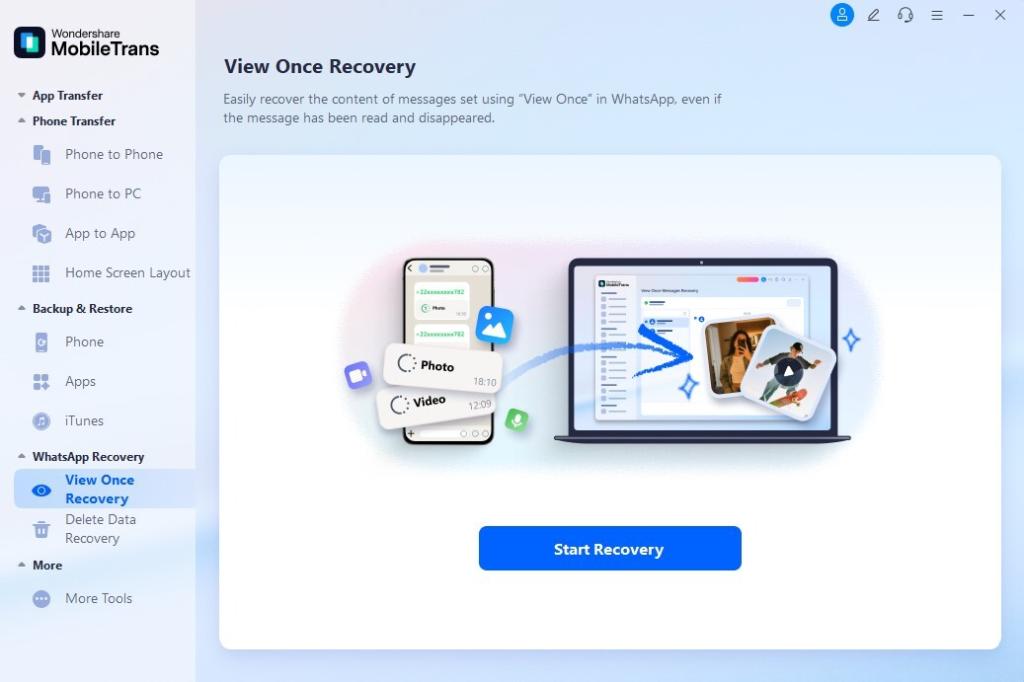
- Open the App and tap WhatsApp Recovery ->View Once Recovery to get started.
Link your WhatsApp account by scanning the QR Code, confirming the connection through on-screen prompts.
Allow the automated linking process to complete uninterrupted after QR scanning.
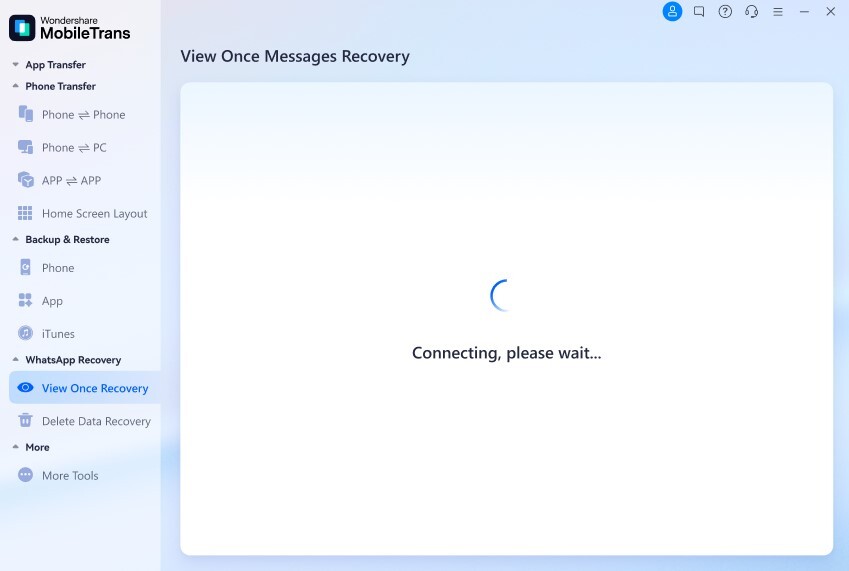
- Following a successful connection, you can see and save the View Once messages sent by your WhatsApp friends. This allows you to preserve important photos and videos even if they have been read or disappeared.
Carry Over Your Home Screen and Wallpaper Setup
So you have got all your apps, but rearranging them again into folders just like your old phone is another tedious task we don’t want to do. Thankfully, MobileTrans v5.0 takes care of that too with its Home Screen Layout option.
It will carry over the entire arrangement of apps and folders, just like the way you had them set up on your older smartphone, to the new one. So it will be just like slipping into your old pair of jeans, and you can start using it as if nothing changed. It is that simple with this tool.
Easy Switching and Peace of Mind with MobileTrans v5.0
So you see, switching to a new device, be it Android or iPhone, or recovering deleted WhatsApp messages does not have to be a daunting task. All you need is the right tool, and I can’t think of a better solution than Wondershare MobileTrans v5.0. It is simple enough that anyone can use it, from a retiree to an IT professional.
The pricing isn’t much considering the amount of headache it saves you. Moreover, you don’t have to worry about your phone bricking or losing your precious data either. MobileTrans v5.0 further improves the already hassle-free experience with its blazing-fast speeds, and this is why it is a must-have tool.
Add new comment
Name
Email ID
Δ


MSI has been on a roll recently, launching gaming laptops with best-in-class performance powered by NVIDIA’s latest graphics cards. The brand has launched a new series of MSI laptops across the Titan, Raider, Vector, Crosshair, and Katana lineups. They are powered by NVIDIA GeForce RTX 50 series laptop GPUs and leverage technologies like DLSS upscaling and frame generation to help deliver best-in-class gaming performance.
NVIDIA GeForce RTX 50 series consists of a host of new GPUs from the NVIDIA GeForce RTX 5090 to the GeForce RTX 5060 , offering a wide range of laptops that suit various needs. From gaming to content creation or running AI workloads, there’s a laptop for every use case.
AI Meets Performance in MSI GeForce RTX 50 Series
MSI gaming laptops across the Titan, Raider, Vector, Crosshair, Katana, and Cyborg series feature the latest NVIDIA GeForce RTX 50 series GPUs with AI smarts such as DLSS. The latest DLSS 4 technology , combined with multi-frame generation, ensures smoother gameplay. DLSS or Deep Learning Super Sample uses AI to reconstruct frames and upscale them with no loss in quality to deliver a best-in-class gaming experience.
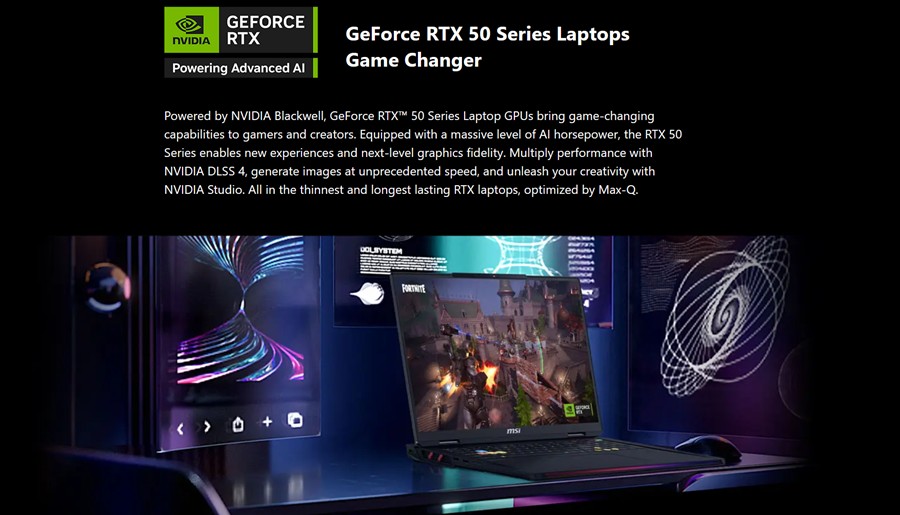
Combined with features such as Ray tracing, AI-enhanced rendering, and studio drivers, it ensures both gamers and creators can leverage these GeForce RTX 50 series-powered laptops to their maximum potential. The GeForce RTX 50 series GPUs on MSI laptops bring up to 24 GB of VRAM, offering the best visual experience when playing games. It’s more than sufficient for 3D rendering and model training, which are both popular modern fields.
The MSI Titan and Raider feature Intel Core Ultra 9 285HX , while the Vector and Crosshair bring Core Ultra 7 255HX processors, alongside AMD options. The Katana and Cyborg series are powered by 14th Gen Core i9 and Ryzen 9 8940HX processors. Titan and Raider series are powered by GeForce RTX 5090 and RTX 5080 laptop GPUs, whereas the Crosshair and Vector series get NVIDIA GeForce RTX 5070, RTX 5070 Ti, and RTX 5060 laptop GPUs. The same goes for the Katana and Cyborg series, albeit with a lower power draw to cater to different kinds of users.
The top-of-the-line Intel Core Ultra 9 and Ultra 7 feature up to 24 cores and threads, with 8 performance cores and 16 efficiency cores. They boast a top clock speed of up to 5.5 GHz and deliver great NPUs to boost the overall AI performance. The 14th Gen Intel Core i9 processor in the Katana and Cyborg series also brings the same performance but without some AI smarts.
MSI Overboost Ultra: Beyond RAW Performance
These MSI laptops come with an Overboost Ultra feature, which smartly adjusts the power distribution between the CPU and GPU. The Titan 18 HX AI and Raider 18 HX AI can draw 270W and 260W, respectively, with both CPU and GPU combined. The Vector and Crosshair series achieve up to 170W of peak power draw, whereas the Cyborg and Katana max out at 115W. Overboost Ultra adjusts the power draw between the CPU and GPU. This ensures that you get the maximum peak sustained performance without throttling the laptop.
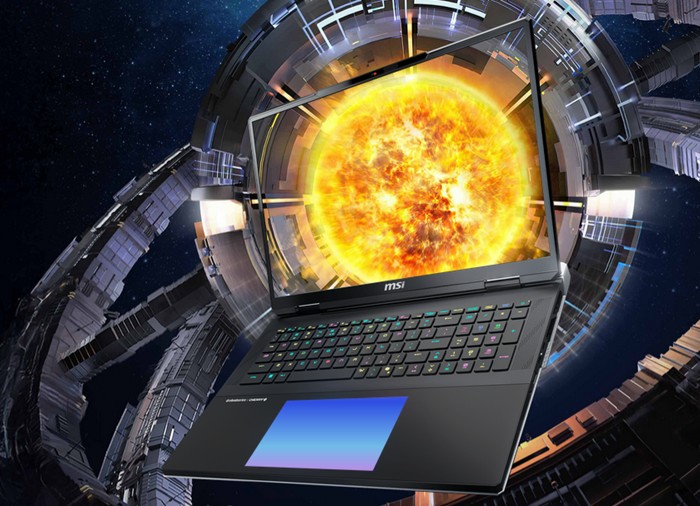
The maximum total power draw is the sum of CPU and GPU power draws. In the GeForce RTX 5090-powered Titan 18 HX AI’s case, this is 95W for the Intel Core Ultra 9 285HX and up to 175W for the GPU with Dynamic Boost 2.0 . Due to this, Titan 18 HX AI and Raider 18 HX AI refuse to sweat at maximum graphics settings and 2K resolution with DLSS 4. The GeForce RTX 5070/ RTX 5070 Ti laptop GPUs on the Vector and Crosshair series can pull up to 205W , whereas the Cyborg and Katana can reach up to 170W.
To keep the temperature in check, MSI has opted for Vapor Chamber cooling , with an extra pipe for the PCIe Gen5 NVMe so that the laptop always stays cool. The superior cooling system is effective at lowering the temperatures and ensuring the laptops never thermal throttle. It also ensures the keyboard and palm areas stay cool for those extended gaming sessions.
Games like Alan Wake 2 run at 201 FPS, whereas Cyberpunk 2077 runs at an average of 258 FPS. Black Myth: Wukong gets a solid 92 FPS with frame generation at Ultra graphics. Similarly, the flagship Titan and Raider gaming laptops fly during regular day-to-day tasks with a PCIe Gen5 SSD and 6400 MHz DDR5 RAM , offering double the read-write speeds compared to the last generation.
The Vector and Crosshair also equip a PCIe Gen5 SSD slot alongside the 5600 MHz DDR5 RAM. Meanwhile, the Katana and Cyborg come with PCIe 4.0 slots and DDR5 RAM.
Features That Add to the Experience
The GeForce RTX 50 series MSI laptops also feature Mystic Light . It can be used to customize the RGB lighting effects on the Raider and Titan series. The added customization could help you get immersed in the gaming experience and make the device look aesthetically pleasing.
The RGB extends to the keyboard as well. The Titan series features a low-profile Cherry Mechanical keyboard with per-key RGB customization. The Raider series has customizable RGB as well, albeit without the Mechanical keys. Although it does get a SteelSeries-branded keyboard. The lights and effects are fully customizable using MSI’s built-in software.
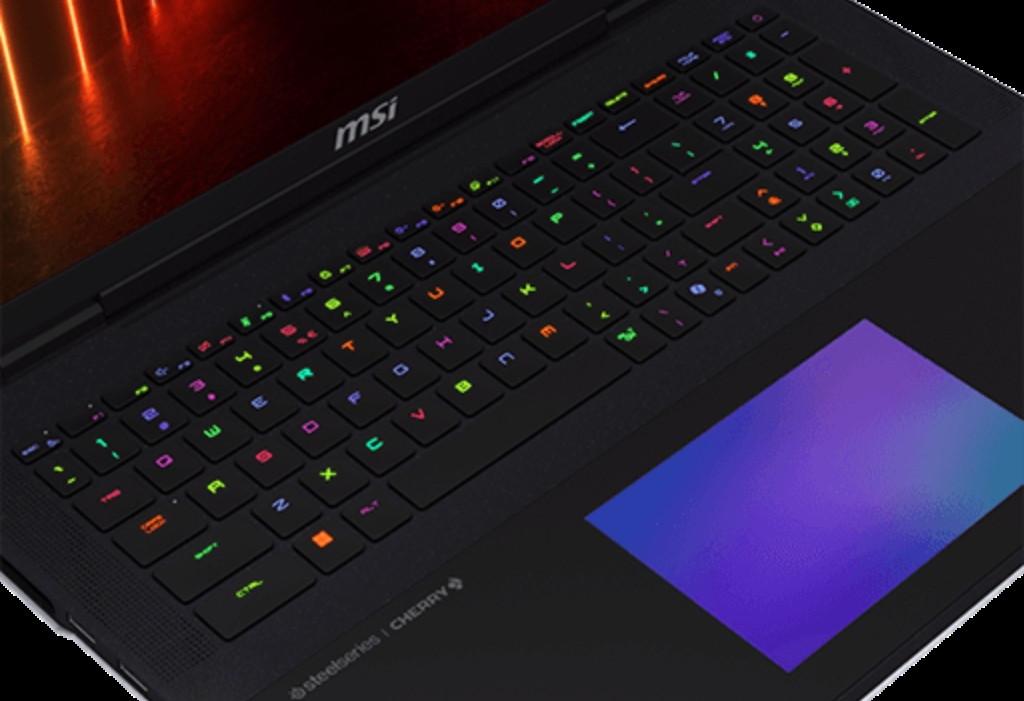
MSI’s Vector and Crosshair series also get a 24-zone RGB gaming keyboard . The Katana and Cyborg, on the other hand, get a respectable 4-Zone RGB gaming keyboard. All the Core Ultra series laptops also get a dedicated Copilot Key to quickly bring up Copilot.
Other highlights include 3D cooling feet that make the laptop sit at an angle, ensuring good airflow. Besides the Raider series, Titan also features a comprehensive speaker setup with 4x speakers and 2x subwoofers . The rest of the laptops in the series come with 2 x 2W speakers. The speakers on the Raider, Titan, Crosshair, and Vector are Hi-Res certified .
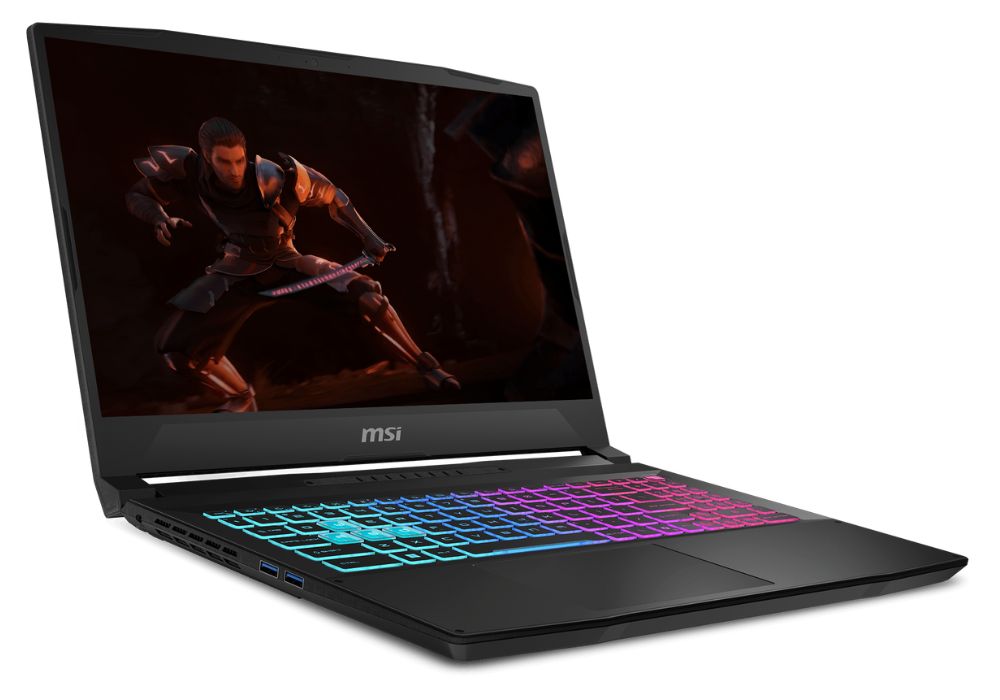
The Titan and Raider series feature 4K mini LED displays with up to 120Hz refresh rate for crisp visuals and an even immersive gaming experience. The displays on the Vector and Crosshair series max out at 2K at 240Hz refresh rate. The top Katana variant also gets a 2K IPS panel with 165Hz refresh rate, whereas the Cyborg gets a 1080p 144Hz IPS panel.
A great gaming experience also depends on the number of peripherals you can connect. Connectivity-wise, the Titan, Raider, Vector, and Crosshair boast Thunderbolt 5 support and all the possible ports you could ask for. The rest of the ports include an HDMI 2.1 port, USB 3.2 Gen 2 Type-C ports, and USB 3.2 Gen 2 Type-A ports on all Vector, Crosshair, Katana, and Cyborg laptops. Besides, you also get a full-size SD card reader and Ethernet ports for lag-free gaming.
Hardware That Screams Performance
MSI’s GeForce RTX 50 series laptops feature PCIe Gen5 SSD slots for faster storage. It also retains a generous number of PCIe Gen 4 slots. The Titan and Raider series bring three NVMe slots in total, so you never run out of usable storage. Besides, they also bring user-swappable DDR5 6400MHz RAM. The RAM on Titan, Raider, Vector, Crosshair, Cyborg, and Katana is expandable up to 96 GB.

Powering the Titan and Raider series is a 4-cell 99Wh battery, which comes bundled with a 400W charger. The Vector and Crosshair series offers a slightly smaller 4-cell 90Wh battery. Whereas, the Katana gets a 75Wh 4-cell battery, followed by 55.2Wh on the Cyborg.
MSI’s portfolio has NVIDIA GeForce RTX 50 series-powered gaming laptops for every type of user. The Titan and Raider series should serve dedicated gamers well. The Vector and Crosshair series, on the other hand, provide great specifications at a slightly lower price. Meanwhile, the Katana and Cyborg series offer a bit of everything and are great all-around laptops for both work and play.
Add new comment
Name
Email ID
Δ
