You’ve decided to buy a MacBook but stuck with the MacBook Air vs MacBook Pro comparison? Well, MacBook Air and MacBook Pro might look similar, but they are very different machines. They are both great options but come in different sizes and excel at different tasks. The MacBook Air is the lightest and most portable laptop lineu p by Apple. Whereas, the MacBook Pro is Apple’s beefiest laptop lineup that packs Pro-use level power.
Also, these two Apple Silicon machines vary significantly in price and computing power, so you must have an idea about what you want from your MacBook. This will save you from making the wrong choices. If you’re unsure what you need, you’ve landed at the right place. Our guide will help you understand the difference between MacBook Air and MacBook Pro, so you can decide which MacBook is best for you. Let’s begin!
MacBook Air vs MacBook Pro: Available Models
Apple currently sells MacBooks in these configurations:
- 13-inch MacBook Air with M2 / M3
- 15-inch MacBook Air with M3
- 14-inch MacBook Pro with M3 / M3 Pro / M3 Max Max
- 16-inch MacBook Pro with M3 Pro / M3 Max
The giant has discontinued the 13-inch MacBook Pro M2 after releasing the 14-inch option. Also, it has discontinued the 14-inch & 16-inch MacBook Pros with M2 Pro and M2 Max configurations. The much-popular M1 MacBook Air has also been discontinued by Apple.
You can’t buy these models brand new from Apple. However, if you still want to go for them, you can buy them refurbished from Apple or get them at a discounted price from third-party retailers.
MacBook Air vs MacBook Pro: Design
MacBook Air vs MacBook Pro Design
The MacBook Air and MacBook Pro share the same basic design with machined aluminum shells, a flat top, and rounded edges on the bottom. That said, they both have minor details that differ. Both the Macs have displays with a “notch” to house the built-in webcam, but the MacBook Pros have noticeably slimmer bezels. Until the M1 model, the MacBook Air had a tapered-wedge design. It’s now replaced with a more modern and uniform design, which brings the Air closer to the Pro.

MacBook Air (Midnight) and MacBook Pro (Silver)
The M2/ M3 MacBook Air and M3 MacBook Pro are available in Silver and Space Gray, but the MacBook Air comes in two more color options – Starlight and Midnight. So, if you’re looking for a MacBook with one of these finishes, you may want to consider the MacBook Air. Also, the M3 Pro/M3 Max MacBook Pro comes in an exclusive Space Black finish.
Apart from slight design differences and color options, MacBook Air and MacBook Pro also have different dimensions. The 16-inch MacBook Pro is larger and heavier than the 15-inch MacBook Air. Also, the 14-inch MacBook Pro might have a larger display than the MacBook Air, but it’s also noticeably thicker and heavier. On the flip side, the 13-inch MacBook Air weighs a mere 2.7 pounds and is the most portable option available. Also, the 15-inch model brings a nice balance of portability and larger display. Therefore, if you prefer to travel light and need the most portable MacBook, it’s worth buying a MacBook Air.
Also, we can’t understate the power and additional capabilities the M3 Pro & M3 Max machines offer. So, if you need added performance capabilities along with portability, the size and weight should not hold you back from considering the 14-inch MacBook Pro.
Display Size

MacBook Air vs MacBook Pro Display Size
The smaller MacBook Air packs a 13.6-inch display, which is slightly smaller than the 14.2-inch MacBook Pro. Apple’s 13-inch MacBook Air makes a great option for most users with casual or moderate processing demands. Whereas, the 14-inch MacBook Pro remains a top choice for users who need slightly more real estate and better processing capabilities.
The 15-inch MacBook Air and 16-inch MacBook Pro make a solid desktop machine replacement. They are made for people who need an additional display area to work with multiple windows and professional applications.
MacBook Air vs MacBook Pro: Display Technology
MacBook Air vs MacBook Pro Display Technology
A major difference between MacBook Air and MacBook Pro is the display technology. The MacBook Air has an LCD panel with slim bezels and rounded edges, which Apple calls a Liquid Retina display. These displays are sharp, colorful, and sufficient for most users. On the other hand, the 14-inch and 16-inch MacBook Pro takes the display quality to a whole new level with Apple’s more advanced mini-LED Liquid Retina XDR technology for superior colors, improved contrast, and better dynamic range.
Also, if there’s one reason to go for the MacBook Pro, it has to be the brightness levels. The XDR display on the MacBook Pro offers peak brightness levels of 1,600 nits when showing HDR content. Plus, you get a 120Hz ProMotion display for a smoother performance. Unfortunately, you won’t get a display with a variable refresh rate on MacBook Air.
To sum up, the MacBook Air is a nice option and not all users may notice a drastic difference. On the flip side, if you crave a MacBook with the best display experience, it’s worth buying the MacBook Pro. They are perfect for viewing and editing HDR content, watching high-framerate videos, and performing other color-accurate tasks.
Ports & Connectivity
Another major difference between the MacBook Air and MacBook Pro is the selection of ports and connectivity options. The 13-inch & 15-inch MacBook Air offer just two Thunderbolt ports, along with a 3.5mm headphone jack and a MagSafe charging port. The M3 MacBook Pro adds an HDMI 2.1 port and SDXC card slot to the mix.

Left Side Ports: MacBook Air (Top) and MacBook Pro (Bottom)
Whereas, the M3 Pro and M3 Max configurations of the MacBook Pro offer top-notch connectivity with a total of three Thunderbolt ports, an HDMI port, an SDXC card slot, and a 3.5mm jack with support for high-impedance headphones.

Right Side Ports: MacBook Air (Top) and MacBook Pro (Bottom)
Therefore, you need plenty of ports to connect external peripherals, the 14-inch and 16-inch MacBook Pro are much more versatile.
MacBook Air vs MacBook Pro: Processor
The MacBook Air is powered by the M2 or M3 chip. If you’re planning to go for a MacBook Pro, you get to choose between the M3, M3 Pro, and M3 Max chips. Talking about M2 vs M3 , the M2 processor is only slightly less powerful than the M3 chipset. Particularly speaking, the M3 processor delivers up to 20% faster CPU performance than the M2 chip. Both M2 and M3 are consumer-oriented chips that deliver a solid performance and impressive battery life. If you need a MacBook for light to moderate workflows , even the M2 MacBook Air is a great option.

On the other hand, the M3 Pro and M3 Max are scaled-up versions of the M3 chip with more transistors, and additional CPU and GPU cores. Therefore, the M3 Pro and M3 Max are exclusively designed for demanding workflows and CPU-intensive tasks. Be it 4K video editing, 3D rendering, or playing heavy games, the M3 Pro and M3 Max processors are ready for everything you throw at them.
Moving on, the MacBook Air doesn’t have a fan, so it may get hot during peak performance . The high-end MacBook Pro features fans that enhance performance by pushing the chips harder and maintaining a cool system.
Talking about the external display support, you can connect a single external display with the M2 MacBook Air. M3 machines extend support for up to two external displays when the lid is closed. The M3 Pro processor also supports up to two external displays, while the M3 Max MacBook Pro allows you to work with up to four external displays simultaneously.
Memory & Storage
Apple M2 vs M3 Memory and Storage options
You must also consider RAM and storage options while buying a MacBook. It’s worth knowing that the M2/M3 MacBook Air and M3 MacBook Pro can be configured with up to 24GB of RAM and up to 2TB of storage. Well, this should be more than enough for most users, including the ones with professional needs.
However, if your demanding workflow requires even more memory and storage, you can go for the MacBook Pro with M3 Pro or M3 Max configurations. The M3 Pro MacBook Pro can be configured with up to 36GB of RAM and 4TB of storage. Whereas, the top-spec M3 Max MacBook Pro goes all the way up to 98GB of RAM and 8TB of storage.
Speakers & Microphone

The 13-inch MacBook Air comes with a four-speaker sound system, with two woofers and two tweeters for a balanced sound experience. They are good enough for watching videos and other everyday needs. The 15-inch MacBook Air and all MacBook Pro models have an advanced six-speaker sound system, with four force-cancelling woofers and two tweeters for dramatically superior audio with a nice bass. Therefore, these models are more suitable for professionals in audio production or people who prefer loud music.
Coming to microphones, the MacBook Air has a three-mic array that captures clean audio, making it perfect for video calls. Whereas, the MacBook Pro models have a studio-quality three-mic array that minimises background sound so your voice comes loud and clear. This makes the MacBook Pro a better option for podcasting and other professions.
MacBook Air vs MacBook Pro: Battery Life
While we’re comparing MacBook Air vs MacBook Pro, it’s important to factor in the battery life offered by the two machines. You get an 18-hour battery life on the M2/M3 MacBook Air and 14-inch MacBook Pro with M3 Pro/M3 Max processor. Whereas, the 14-inch MacBook Pro with M3 and 16-inch MacBook Pros offers the best battery life of up to 22 hours .
The MacBook Air has an 18-hour battery life, offering the same battery life as the 14-inch MacBook Pro with the M3 Pro or M3 Max chips, and four hours less than the 14-inch MacBook Pro with the M3 chip and the 16-inch MacBook Pro.
MacBook Air vs MacBook Pro: Price

When it comes to price and value, the 13-inch MacBook Air M2 remains the leader with a starting price of $999. If you’re looking for the best MacBook for students, the 13-inch MacBook Air makes a top choice. By contrast, the starting price of the 14-inch MacBook Pro is $1599. Now, that’s a hefty outlay. That said, for the extra price you pay, you’ll get to enjoy to more capable processor, a stunning 14-inch mini-LED display with a 120Hz refresh rate, a better webcam, and more ports to work with. If you have a demanding workload, these add-ons are invaluable.
Staring at $2499, the 16-inch MacBook Pro is the best Apple laptop for people who need the biggest display, most I/O ports, the best battery life, and an insanely capable processor.
Should you buy a MacBook Air or MacBook Pro?
Now, coming to the most important question- which is better between a MacBook Air and a MacBook Pro? Well, this depends on your requirements and how you plan to use your machine. Thankfully, there’s a MacBook for everyone.

The M2 MacBook Air is the best option for everyday consumers, be they students or working professionals with ordinary demands. It delivers a solid performance in a portable and lightweight design. With a starting price of $999, the MacBook Air is more affordable than the MacBook Pro, and with Apple Student Discount , you can save an additional $100, which is a superb deal. The 13-inch MacBook Air is the best budget MacBook you can buy. If you can spare some extra cash, the 15-inch MacBook Air model is also a worth-considering option, thanks to its portability and bigger screen size.
If you’re willing to splurge on a machine with a more color-accurate display, more RAM, more storage, and unmatched horsepower, you must go for a 14-inch or 16-inch MacBook Pro. The high-end M3 Pro & M3 Max Macs are designed for creatives and professionals who can make the most of the powerful processing capabilities and advanced features these machines offer. Particularly, the 16-inch MacBook Pro is the best Apple laptop for users who need a solid desktop replacement machine. Also, it is the most advanced MacBook you can buy right now. Remember, the M3 Pro & M3 Max can be an overkill for casual users.
Kanika has been a loyal iPhone user since 2014 and loves everything Apple. With a Master’s in Computer Applications, passion for technology, and over five years of experience in writing, she landed at Beebom as an Apple Ecosystem Writer. She specializes in writing How To’s, troubleshooting guides, App features, and roundups for Apple users to help them make the best use of their gadgets. When not writing, she loves to try out new recipes and enjoy some family time.
Add new comment
Name
Email ID
Δ


- Microsoft Surface Laptop is a direct competitor to Apple’s MacBook Air with M3.
- The Surface Laptop is powered by the Snapdragon X Elite and comes with a 120 Hz display, higher base storage and RAM and faster charging out of the box.
- The base variant of the Surface Laptop 13 and 15 costs $1399 and $1499 which is higher than the based variants of 13 and 15-inch MacBook Air.
Microsoft’s latest endeavor into ARM PCs is a serious one, and the company’s calling it Copilot Plus PCs. The repeated jabs Microsoft took at Apple at the Surface event make it pretty evident that the Surface Laptop 7th generation with Qualcomm’s X Elite SoCs is a direct competitor to Apple’s M3 MacBook. So, will Microsoft’s attempt with Copilot Plus PCs cost Apple an ARM ( pun intended ) and disrupt the market? Here’s our Surface Laptop 7 vs MacBook Air M3 comparison.
Surface Laptop 7 vs MacBook Air M3: Specifications
Before we start comparing the two devices in detail, check out their specs below to know what stands out.
Display and Build Quality
Both the Surface Laptop 7 and MacBook Air come with high-quality aluminum chassis. While the MacBook still markets itself as “crafted from a single block of aluminum,” we know very little about how the latest Surface Laptop is built. Although judging by the build quality of previous Surfaces, it should be good.

Image Courtesy: Microsoft
The smallest Surface has a 13.8-inch display whereas the MacBook Air has a 13-inch unit. MacBook has a higher resolution display of 2560×1664 (224 PPI) versus the Surface which has 2304×1536 pixels (201 PPI) of resolution.
Similarly, the display on the 15.3-inch MacBook Air is a taller 16:10 unit with 2880×1864 pixels (224 PPI) in contrast to the 3:2 15-inch Surface display with 2496×1664 resolution (201 PPI). This, not only makes the MacBook sharper but also gives it the ability to view more content.
However, the Surface laptop has a higher refresh rate display of 120Hz whereas the display on the MacBook Air is still a measly 60Hz. Another area where the Surface PC gets an advantage is that it’s tested to peak at 600 nits compared to the 500 nits brightness on the M3 Macbook Air.

An area where Surface clutches is with its touch capacitive display, which the MacBook lacks. The MacBook Air is slimmer at less than half an inch, 0.44 to be exact. The 13.8-inch Surface is 0.69 inches at its widest width, and the 15-inch model is 0.72 inches thick. Microsoft’s Surface Laptop display is protected by Gorilla Glass 5, whereas the MacBook Air doesn’t claim any specific display protection.
Coming back to the design elements, the Surface laptop uses regular chiclet switches while the MacBook Air uses Apple’s Scissor switches. Although we haven’t tested the keyboard on the Surface Laptop, we believe the typing experience will more or less be the same on both laptops.
The 13.8 and 15-inch Surface Laptops weigh 1.34 kg and 1.66 kg, respectively. Whereas, the 13 and 15.3-inch MacBook Air weigh 1.24 kg and 1.51 kg, respectively. This makes the M3 MacBook Air more portable than the latest Surface Laptops.
Surface Laptop 7 Vs MacBook Air M3: Connectivity
The Microsoft Surface Laptop takes this round with 2 x USB 4/Thunderbolt Type-C ports, one USB-A 3.1 port, a Surface Connect port, and a headphone jack. Its 15-inch model gets a microSD card reader too, albeit a microSDXC unit. In terms of I/O, the Surface takes the win in our books.

The MacBook Air, on the other hand, also gets two Type-C USB 4 ports. There’s a MagSafe 3 port for charging and a 3.5mm headphone jack, too. However, it lacks USB-A, which gives the latest Surface a slight edge.
Microsoft’s new Surface Laptop features Wi-Fi 7 and Bluetooth 5.4 which are the latest connectivity standard available. Apple’s M3 MacBook Air only supports Wi-Fi 6E and Bluetooth 5.3. The former should not be a big deal considering how limited the adoption of Wi-Fi 7 has been so far.
Audio and Microphone
Microsoft says the Surface Laptop come with Omnisonic Speakers that are tuned with Dolby Atmos. The company doesn’t mention how many speakers are present on the device or how they’re placed. What’s certain is that the Surface Laptop comes with Dual Studio Mics with voice focus.
It remains to be seen whether the audio setup on the Surface Laptop can dethrone the MacBook Air’s 6-speaker sound system (or 4 speakers on 13-inch) with Dolby Atmos and Spacial Audio, which is known to offer an incredible sound. This along with Apple’s three-mic array with directional beamforming makes the MacBook Air a more compelling choice in the audio department.
Surface Laptop 7 vs MacBook Air M3: Performance
Microsoft claimed in the Surface event that the latest Surface laptops powered by Snapdragon X Elite chipsets are “58% faster” than the M3 MacBook Air. I have my reservations about this claim since early benchmarks reveal that the Snapdragon X Elite cannot even beat Apple’s M3 .

The Surface Laptop uses the second-best X Elite SKU with 12 cores, 8 performance, and 4 efficiency cores. Maximum frequency that the performance cores can reach is 4.0 GHz. The rest of the cores offer a multithreaded frequency of 3.4 GHz.
Its total cache is 42 MB with an Adreno GPU outputting 3.8 TFLOPs of power. The NPU is 45 TOPS, and the RAM starts at 16GB LPDDR5X. The storage is a replaceable PCIe Gen4 NVMe m.2 unit.

Apple’s M3, on the other hand, is an octa-core CPU with four performance and four efficiency cores, and the base variant comes with just 8GB RAM which Apple argues is “enough”.
The performance cores can go up to 4.06 GHz whereas the efficiency cores run at a cool 2.75 GHz. Apple’s Neural Engine outputs 18 TOPS which is less than half of what the X1E-80-100 outputs on the Surface Laptops.
On paper, the X Elite should beat the M3 in performance, but the early benchmarks say otherwise, for now. This doesn’t necessarily mean that the Surface Laptop isn’t powerful, rather they are good indeed. For most users, the differences in performance will be negligible.
It’s worth noting that one area where Apple still excels is in the efficiency aspect . The M3 MacBook Air is fanless, whereas the surface laptop is actively cooled. How long until Qualcomm figures out Apple’s magical efficiency? We’ll have to see.
The bottom line is, that the X Elite could perform just as well as M3, on paper at least. But Apple still remains the best in terms of efficiency.
Battery Life and Charging
Microsoft promises up to 20 hours and 22 hours of battery during “local video playback” on the 13.8-inch and 15-inch models respectively. In contrast, Apple claims that the MacBook Air M3 will last up to 18 hours on “Apple TV app movie playback” on both their 13-inch and 15-inch version.
Another aspect of battery life is web usage. The Surface Laptop is rated at 13 hours and 15 hours respectively on the 13.8-inch and 15-inch models. The Air, on the other hand, delivers up to 15 hours of wireless web usage which has been a standard for previous versions of the series as well.

While I do believe the battery life on X Elite will be better than regular Windows laptops, I do have my reservations. The MacBook Air series, in general, has had an industry-leading battery life. So, only time and real-world testing can help us know whether the Surface Laptop lives up to the promise.
However, charging is where I can expect the Surface Laptop to get an edge over Apple’s offerings. In the box, the 13.8-inch Surface gets a 39-watt adapter and the 15-inch model gets a 65-watt adapter. The MacBook Air 13-inch comes with 30-watt or 35-watt adapters depending on core configuration. Meanwhile, the larger 15-inch Air receives a 35-watt charging unit out of the box.
So, based on what’s available in the box, the Surface Laptop takes the win and can charge faster than the M3 Air . But, and there’s always a but, the new M3 MacBook Air supports up to 70-watt fast charging while the Surface Laptop maxes out at 65-watt. This means, that if you have an existing fast-charging adapter offering higher wattage, you should be able to charge the MacBook Air in less time.
Surface Laptop 7 vs MacBook Air M3: Repairability
From being the least repairable laptops to repair-friendly laptops, Microsoft has taken strides to make Surface Laptops more repairable and claims that the latest Surface is even more repairable.
The m.2 storage can be upgraded which you can’t do on the MacBook, and the parts are easily made available thanks to the partnership with iFixit. Hence, replacing the battery or any other component down the line will be easier on Surface Laptops than on MacBooks.
Pricing
The base 13.8-inch Surface Laptop with Snapdragon X Elite, 16GB RAM, and 512GB storage costs $1,399 , while the 15-inch version with the same specs costs $1,499. The base 13.6-inch MacBook Air M3 with 8GB RAM and 256GB SSD costs $1,099 while the 15.3-inch with the same specs costs $1,299.
If we compare the Surface Laptop to 16GB and 512GB MacBook Air variants, the 13-inch Air costs $1,499 ($100 more than the Surface), and the 15-inch Air costs $1,699 ($200 more than the Surface). This technically makes the Surface Laptop a better buy, on paper at least.
Surface Laptop 7 vs MacBook Air M3: What Should You Buy?
The purchase decision depends on the OS you want. If you need macOS and nothing else, go for the M3 MacBook Air. But if you need a more bang for your buck offering and a higher RAM/Storage offering, the Surface Laptops are what you should be getting. Or you could wait for cheaper laptops from other OEMs since Microsoft has partnered with many to release Copilot Plus PCs.
The bottom line is, if we put aside the operating system for a bit, that the Surface laptop is better overall offering a higher refresh rate display, larger storage and RAM, faster out-of-the-box charging, and better repairability.
Abubakar covers Tech at Beebom, with his passion for technology tracing back to 2011 when he received a Dell Inspiron 5100 as a gift. He’s also a passionate advocate for the right-to-repair movement, believing in empowering users to maintain and extend the life of their devices. Outside the tech world, he enjoys watching anime and exploring his newfound enthusiasm for Japanese cars. In his free time, you’ll often find him immersed in Genshin Impact or researching his next gadget purchase. Before joining Beebom, he contributed to leading publications like Android Police, How-To Geek, and Fossbytes.
Add new comment
Name
Email ID
Δ
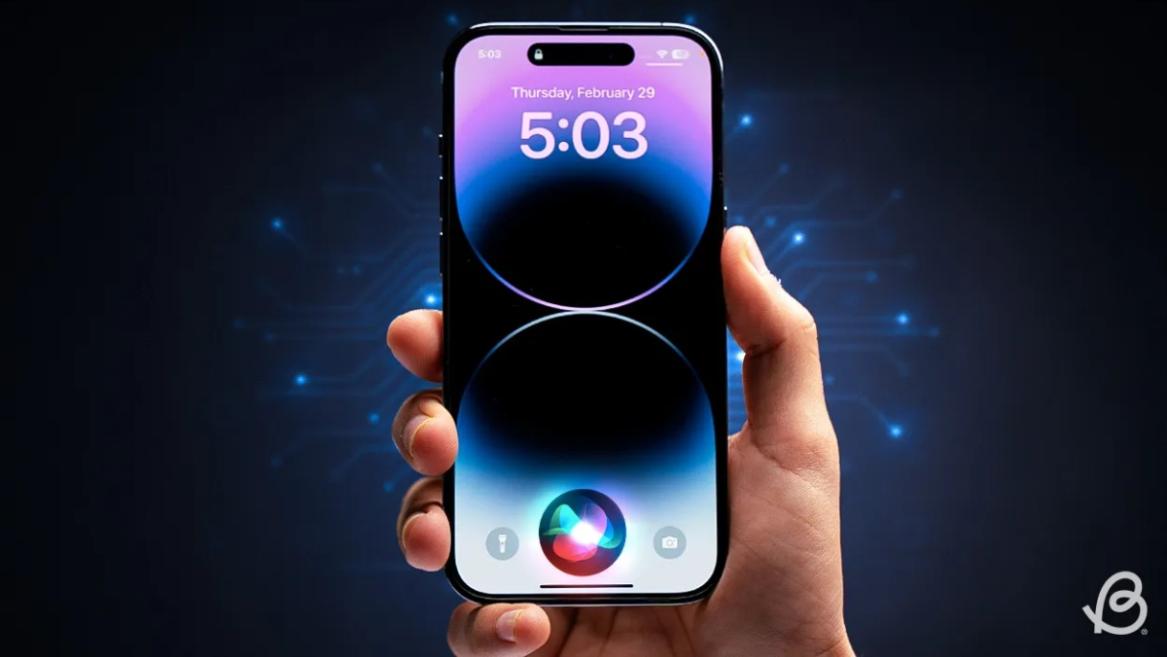
- Apple and Google have officially confirmed their team-up for the next-gen Siri AI.
- The Cupertino Giant will be using Google’s Gemini for a more personalized Siri model as well as Apple Intelligence features.
- We can expect the next-gen Siri to come out with iOS 26.4, sometime in March or April.
Apple has officially confirmed joining forces with Google to use its Gemini AI model to power the next-generation Siri. It will offer a more personalized experience and will be coming out with the iOS 26.4 update. Apple also plans to leverage Gemini’s capabilities for other Apple Intelligence features as well, later down the line.
The Next-Gen Siri will be powered by Google’s Gemini AI
Apple officially confirmed that it will be partnering with Google in a statement to CNBC . Here’s what it stated, “After careful evaluation, we determined that Google’s technology provides the most capable foundation for Apple Foundation Models, and we’re excited about the innovative new experiences it will unlock for our users.”
Later, Google also shared a post on X confirming the tie-up, “Apple and Google have entered into a multi-year collaboration under which the next generation of Apple Foundation Models will be based on Google’s Gemini models and cloud technology. These models will help power future Apple Intelligence features, including a more personalized Siri coming this year.”

Image Credit: X/@NewsFromGoogle
Both statements clearly mention that the Cupertino Giant will be using Gemini to power its assistant Siri. This was already rumored, as Apple’s attempts to acquire Perplexity went nowhere. With Gemini, Siri will get a major AI update . It will be able to handle more nuanced conversations and provide better results. Something long-time Apple users have been asking for years.
The next-gen Siri will arrive with the iOS 26.4 update, which will launch sometime in March or April. And it is only going to be available for Apple Intelligence-supported devices .
Something else worth noting is how Google’s statement mentions that Gemini will power Apple Intelligence features. This leads us to believe that Apple could use Gemini’s multi-modal capabilities for its Writings tools , Image Playground , and Message summaries, too.
Elon Musk Not Happy With Apple and Google Tie Up
xAI CEO Elon Musk also responded to Google’s announcement post on X, sharing his thoughts on the matter by saying, “This seems like an unreasonable concentration of power for Google, given that they also have Android and Chrome.” Though we don’t expect either Apple or Google to respond to Elon, we will update the situation as it progresses.
It is worth noting that xAI is the company behind Grok, which is in hot water currently due to its inappropriate image generation fiasco , and has been getting backlash from multiple news outlets, X users, and even government authorities.
With over 4 year of experience under the belt, I cover all facets of consumer tech, from smartphones to other consumer electronics, our favorite social media apps, as well as the growing realm of AI and LLMs. As an Apps and AI writer app Beebom, I provide my expertise in all these areas, weaving stories that help you get familiar with the tech around you. But you will find me playing NYT daily puzzles in my free time.
Add new comment
Name
Email ID
Δ
