To turn off the Facebook comments on your public posts, you will firstly need to unlock your account if it’s locked.
Then, select a post -> three-dot menu -> Who can comment on your post? -> Profiles and Pages you mention.
Once you apply this for one post, it does’t apply to all your posts.
Head over to the Posts section by tapping or clicking on your profile icon (in the top right corner on Android, top left corner on iOS, top right corner drop-down menu on the web) .
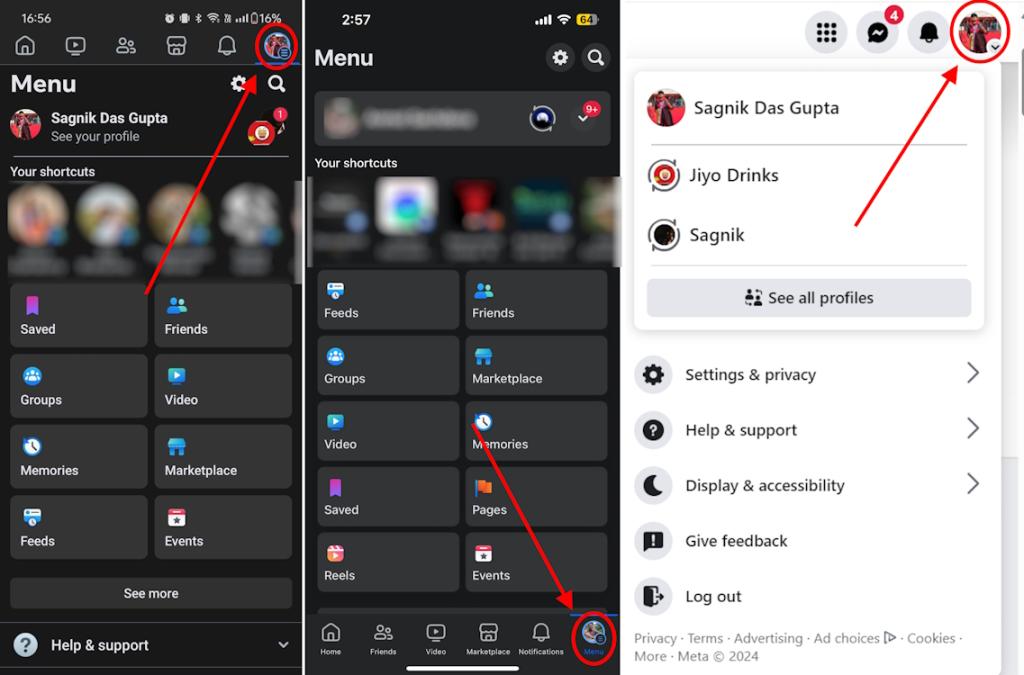
Facebook profile icon placement on Android app (L), iOS app (M), and Web version (R)
- Then, select your Facebook profile name. Here, scroll down to find all your posts. Select the three-dot menu on the post you want to hide comments for.
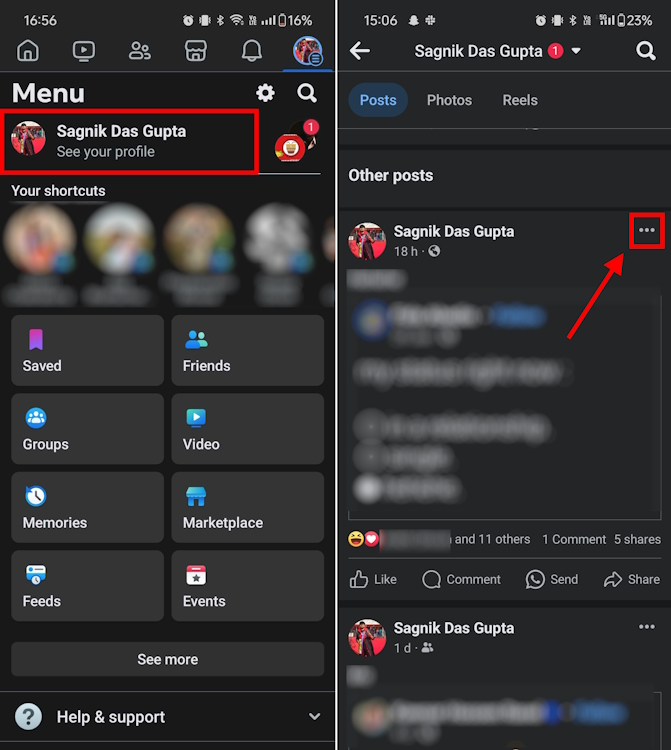
- Then, select “Who can comment on your post?” and tap or click on Profiles and Pages you mention .
- Finally, tap or click on the Done button and that’s it.
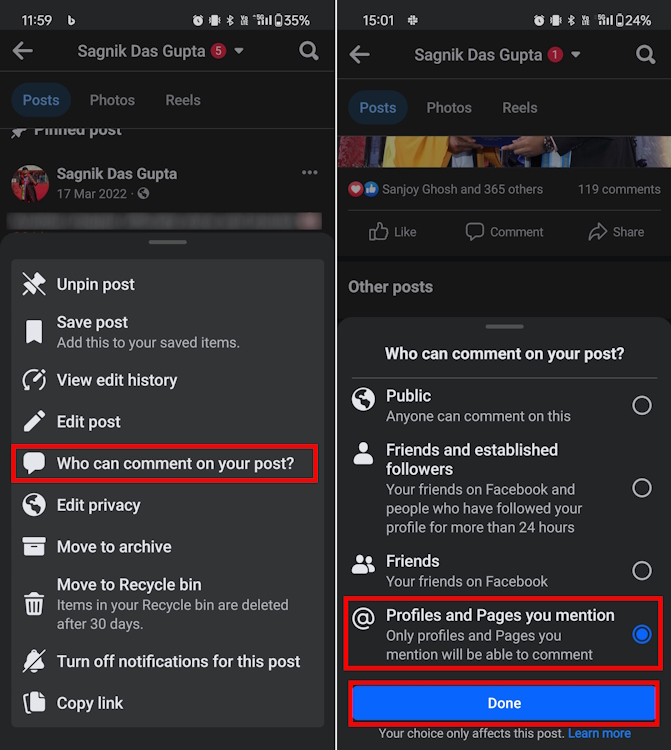
Upon selecting this privacy setting for your Facebook post, only those profiles and pages that you specifically mention on your post will be able to comment. So, if you are not mentioning anyone in the first place, you have basically turned off commenting for such Facebook posts.
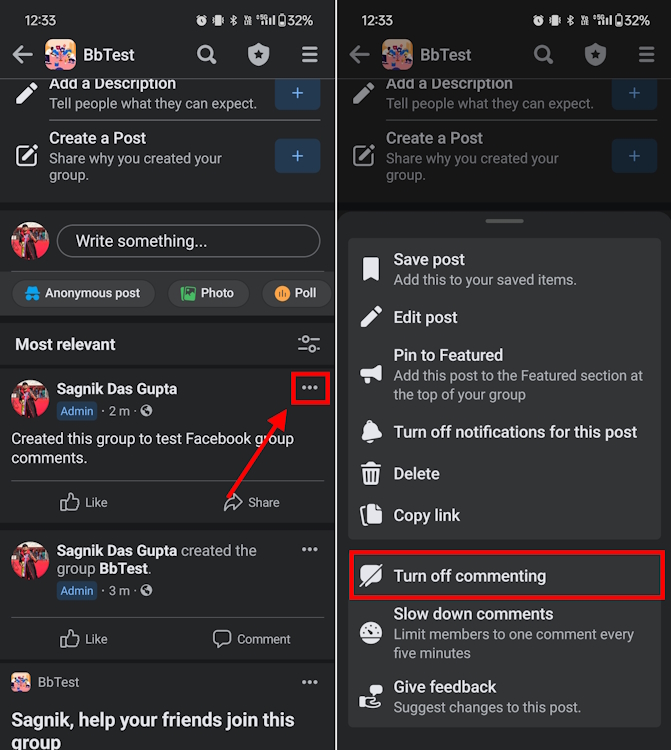
Besides, you could do the same thing to turn off commenting for your Facebook Page posts . However, do note that doing so for one post doesn’t change the settings for all your other posts . You will have to do this for every post, which is a bummer.
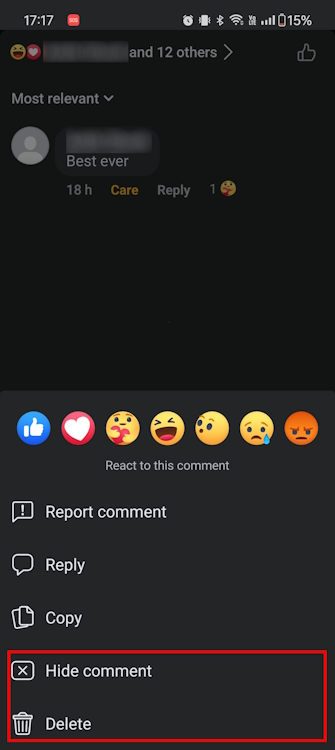
Now, if a specific comment by a Facebook friend or someone you don’t know annoys you, you can hide or delete it. Just visit your post, locate the comment, and long-press it if you are on the mobile app. Here, you will see the options to hide or delete the comment. Click on the desired option and that’s it.
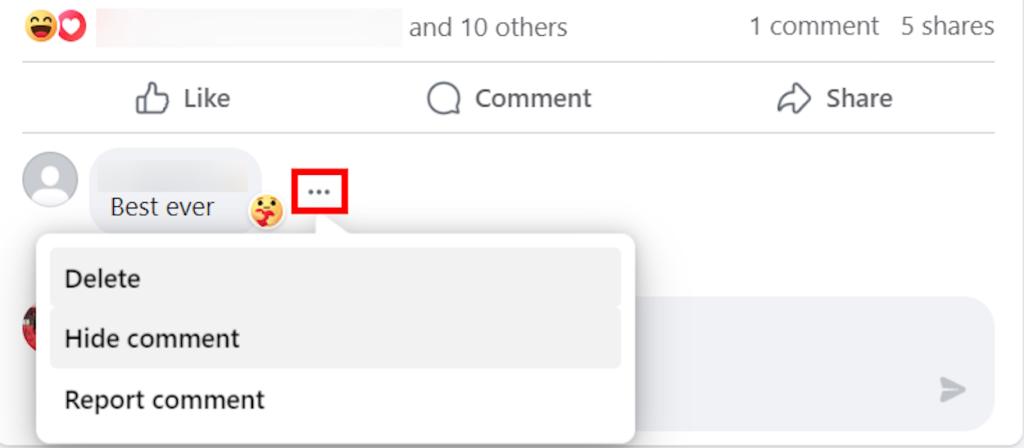
On the web version, simply hover the comment you want to delete and click on the three-dot menu that appears beside it. Then, you will see the hide and delete comment options.
Sagnik is a tech aficionado who can never say “no” to dipping his toes into unknown waters of tech or reviewing the latest gadgets. He is also a hardcore gamer, having played everything from Snake Xenzia to Dead Space Remake.
Add new comment
Name
Email ID
Δ


