MacBooks automatically go to sleep mode when you close the lid. This is done to save battery life when your Mac is running on battery power and allow faster charging when your MacBook is plugged in. When you open the lid, you just enter your Mac’s password and get to your work. However, you may sometimes want your MacBook display to stay on even after you close the lid. For instance, you might have connected an external display or wish to keep the downloads going. Thankfully, there are some ways to prevent your Mac from sleeping when closing the lid. Read on to learn how to keep your Macbook display on when closed.
1. Keep Your MacBook On When Lid Closed via System Settings
This is Apple’s recommended method and should work on all MacBooks, even the ones running the latest macOS Sequoia. The process is pretty straightforward. All you have to do is change a few settings to stop your Mac from entering Sleep mode when the lid is closed. Here’s what you need to do:
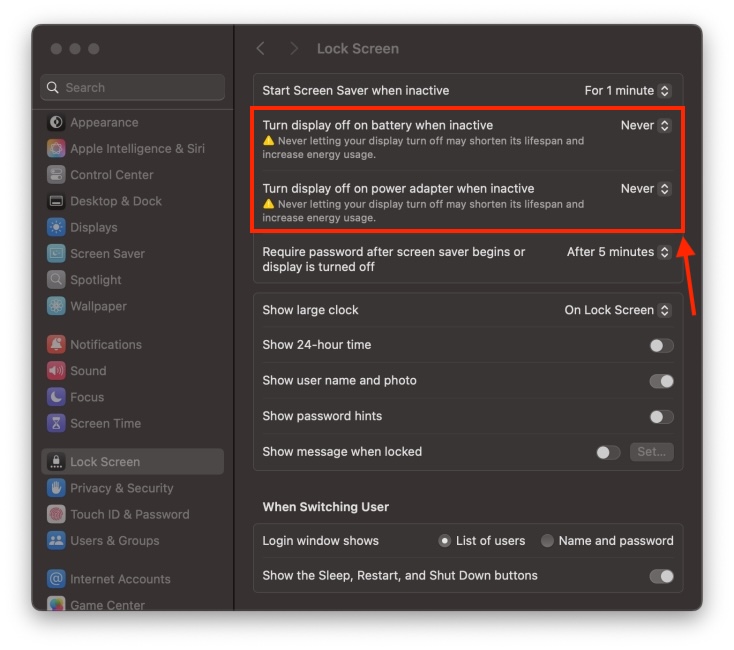
- On your Mac, open System Settings and choose Lock Screen from the sidebar.
- Here, click on the pop-up menu next to “Turn display off on battery when inactive” and choose Never. This will prevent sleep mode when your MacBook is running on battery power.
- If you wish to skip Sleep mode when your Mac is plugged in, click on the pop-up menu next to “Turn display off on power adapter when inactive” and choose Never.
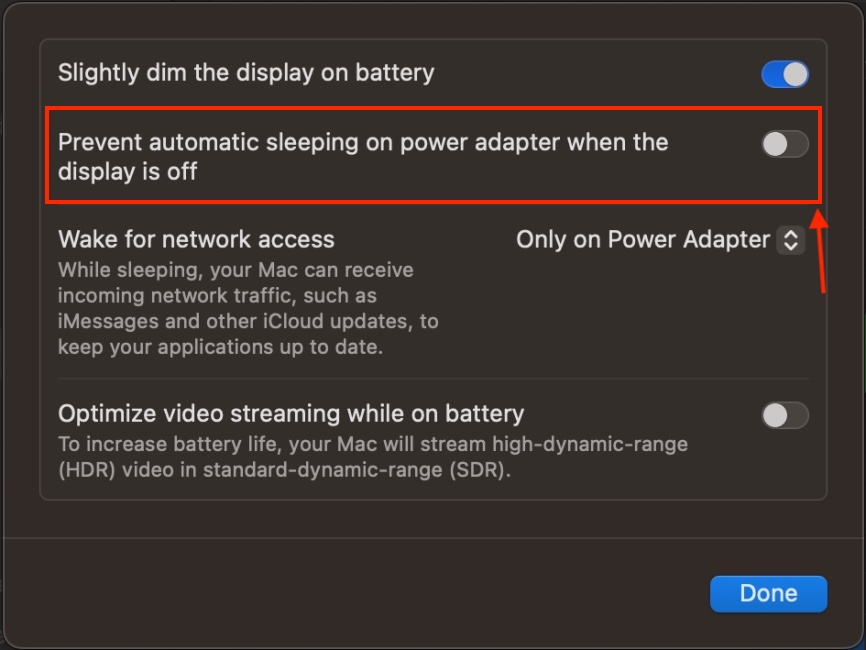
- Once you’ve done that, click on Battery from the left sidebar. Scroll down and click on Options.
- Finally, turn on the toggle next to “Prevent automatic sleeping on power adapter when display is closed.” Bear in mind that this only works when your Mac is plugged in.
2. Use Terminal Commands to Stop MacBook from Sleep When Lid Closed
If you’re hands-on with Command Line, you can also use Terminal to make your Mac not sleep when you close the lid. It does the same thing as the System Settings method, but it’s a more powerful option that works when your MacBook is running on battery or a power adapter. Below are the step-by-step instructions to do it:
- Open Terminal from the Dock. Alternatively, hit the Command + Space keys to open Spotlight and search for Terminal
- Now, enter the following command:
sudo pmset disablesleep 1
- Finally, hit the Enter key. When prompted, enter your Mac’s password.
- To re-enable sleep mode on your Mac, type the following command and hit Enter.
sudo pmset disablesleep 0
The process might seem a bit technical or complicated, but trust me it’s pretty simple and takes only a few seconds. You just have to copy & paste a command in Terminal.
3. Use Third-Party Apps to Keep Mac Screen on When Closing Lid
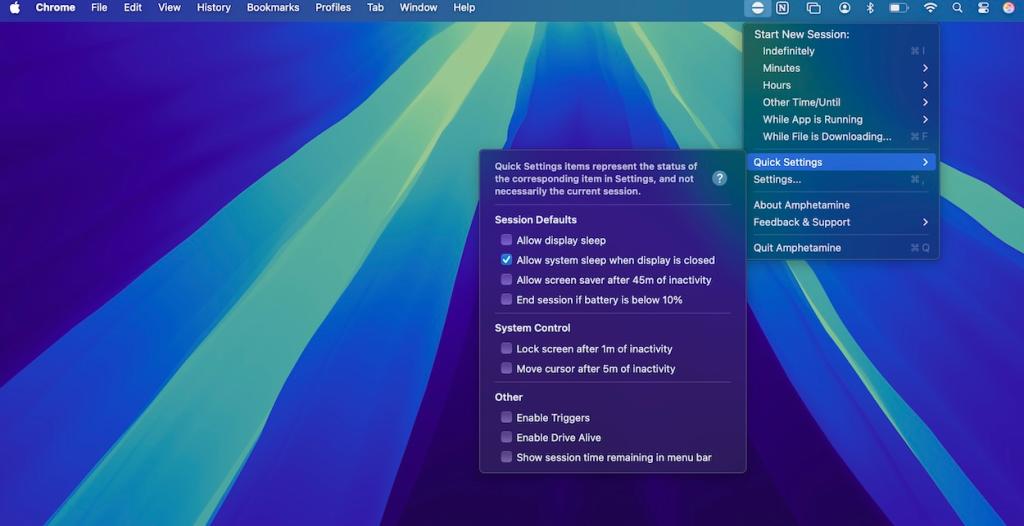
Finally, you can also use third-party apps to close your MacBook lid without entering Sleep mode. You can find several keep awake apps on the App Store that serve the purpose. We recommend checking out Amphetamine , which is a free macOS app that prevents Mac from sleeping with a simple on/off switch. It can also trigger based on the actions you define.
Once you’ve downloaded Amphetamine, tap on the app icon from the top Menu bar, choose Quick Settings, and deselect “Allow system sleep when display is closed.”
Kanika has been a loyal iPhone user since 2014 and loves everything Apple. With a Master’s in Computer Applications, passion for technology, and over five years of experience in writing, she landed at Beebom as an Apple Ecosystem Writer. She specializes in writing How To’s, troubleshooting guides, App features, and roundups for Apple users to help them make the best use of their gadgets. When not writing, she loves to try out new recipes and enjoy some family time.
Add new comment
Name
Email ID
Δ


- Apple and Google have officially confirmed their team-up for the next-gen Siri AI.
- The Cupertino Giant will be using Google’s Gemini for a more personalized Siri model as well as Apple Intelligence features.
- We can expect the next-gen Siri to come out with iOS 26.4, sometime in March or April.
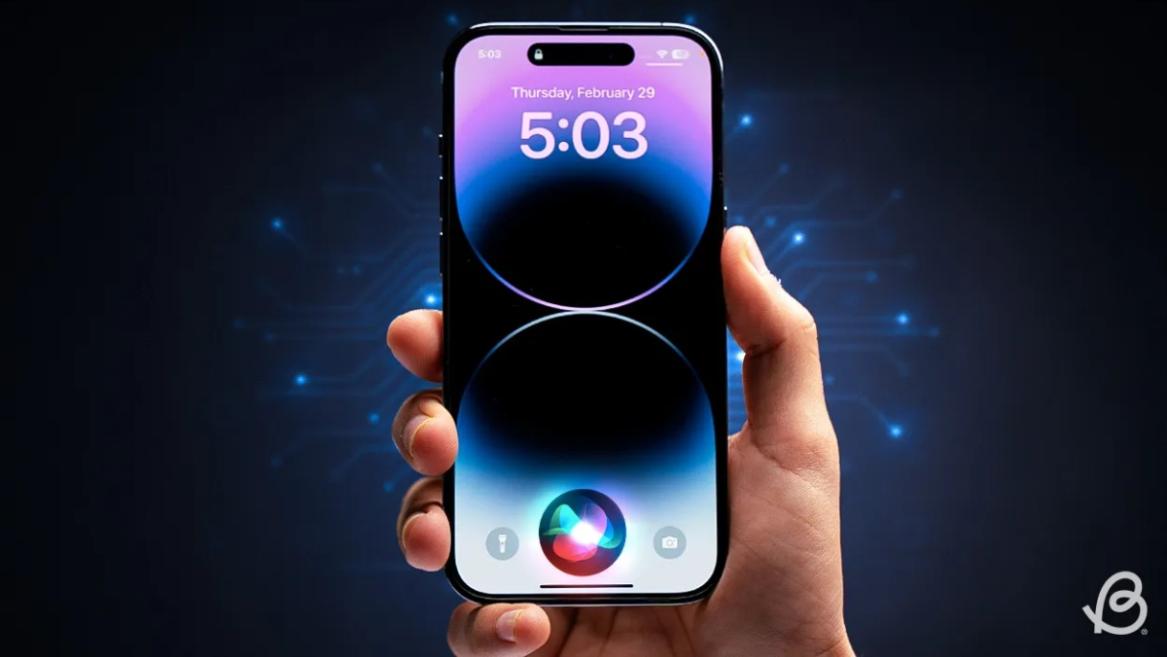
Apple has officially confirmed joining forces with Google to use its Gemini AI model to power the next-generation Siri. It will offer a more personalized experience and will be coming out with the iOS 26.4 update. Apple also plans to leverage Gemini’s capabilities for other Apple Intelligence features as well, later down the line.
The Next-Gen Siri will be powered by Google’s Gemini AI
Apple officially confirmed that it will be partnering with Google in a statement to CNBC . Here’s what it stated, “After careful evaluation, we determined that Google’s technology provides the most capable foundation for Apple Foundation Models, and we’re excited about the innovative new experiences it will unlock for our users.”
Later, Google also shared a post on X confirming the tie-up, “Apple and Google have entered into a multi-year collaboration under which the next generation of Apple Foundation Models will be based on Google’s Gemini models and cloud technology. These models will help power future Apple Intelligence features, including a more personalized Siri coming this year.”
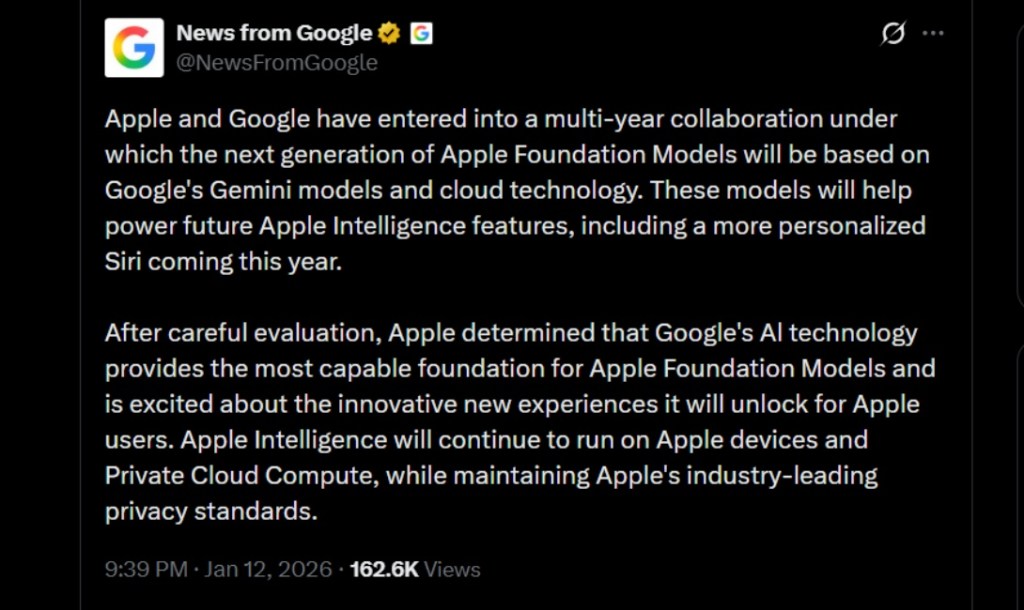
Image Credit: X/@NewsFromGoogle
Both statements clearly mention that the Cupertino Giant will be using Gemini to power its assistant Siri. This was already rumored, as Apple’s attempts to acquire Perplexity went nowhere. With Gemini, Siri will get a major AI update . It will be able to handle more nuanced conversations and provide better results. Something long-time Apple users have been asking for years.
The next-gen Siri will arrive with the iOS 26.4 update, which will launch sometime in March or April. And it is only going to be available for Apple Intelligence-supported devices .
Something else worth noting is how Google’s statement mentions that Gemini will power Apple Intelligence features. This leads us to believe that Apple could use Gemini’s multi-modal capabilities for its Writings tools , Image Playground , and Message summaries, too.
Elon Musk Not Happy With Apple and Google Tie Up
xAI CEO Elon Musk also responded to Google’s announcement post on X, sharing his thoughts on the matter by saying, “This seems like an unreasonable concentration of power for Google, given that they also have Android and Chrome.” Though we don’t expect either Apple or Google to respond to Elon, we will update the situation as it progresses.
It is worth noting that xAI is the company behind Grok, which is in hot water currently due to its inappropriate image generation fiasco , and has been getting backlash from multiple news outlets, X users, and even government authorities.
With over 4 year of experience under the belt, I cover all facets of consumer tech, from smartphones to other consumer electronics, our favorite social media apps, as well as the growing realm of AI and LLMs. As an Apps and AI writer app Beebom, I provide my expertise in all these areas, weaving stories that help you get familiar with the tech around you. But you will find me playing NYT daily puzzles in my free time.
Add new comment
Name
Email ID
Δ
