Call of Duty Black Ops 7 has officially gone live for our buddies in New Zealand, and you can join in on the action by making a few simple tweaks. Famously known as the ‘New Zealand trick,’ games with local midnight release times can typically be played early by switching to NZDT, as the time zone is significantly ahead of its US counterparts. In case you’re wondering how to go about this, we’ve put together a guide on how to play Black Ops 7 early by using the New Zealand trick.
How to Play Call of Duty Black Ops 7 Early on PlayStation?
To play BO7 early on the PS4 and PS5 consoles, follow these steps to change your region to New Zealand:
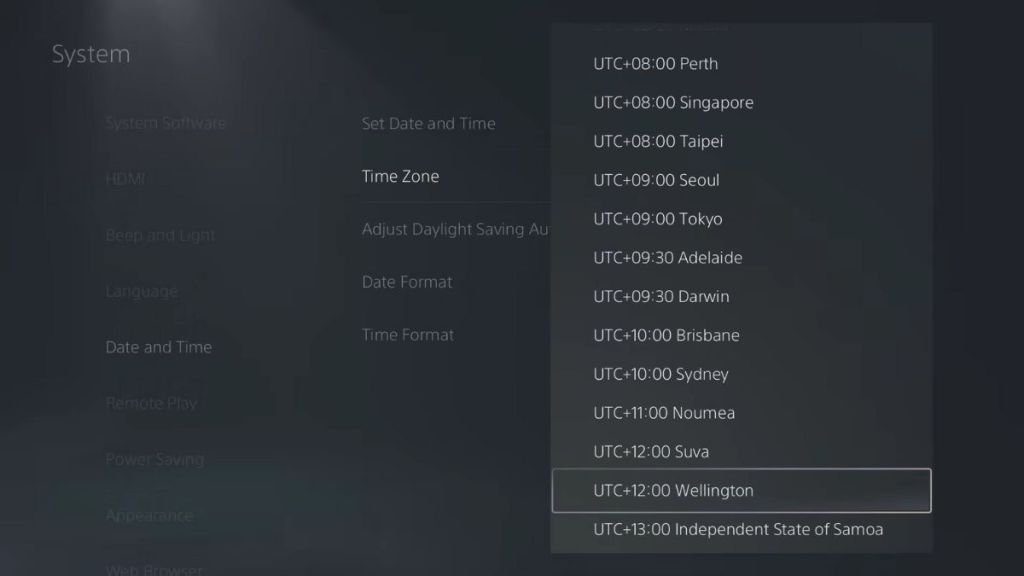
Image Credit: PlayStation
- Head to the official Call of Duty website .
- Log in to your account.
- Click on the ‘Basic Info’ tab.
- Change your Address to any random New Zealand-based address.
- Save the changes.
- Now, open your PlayStation and head into Settings.
- Open the Date and Time tab, and change your time zone to UTC+12:00 Wellington.
How to Play Black Ops 7 Early on Xbox?
Follow these steps to use the New Zealand trick on Xbox One and Xbox Series X/S consoles:
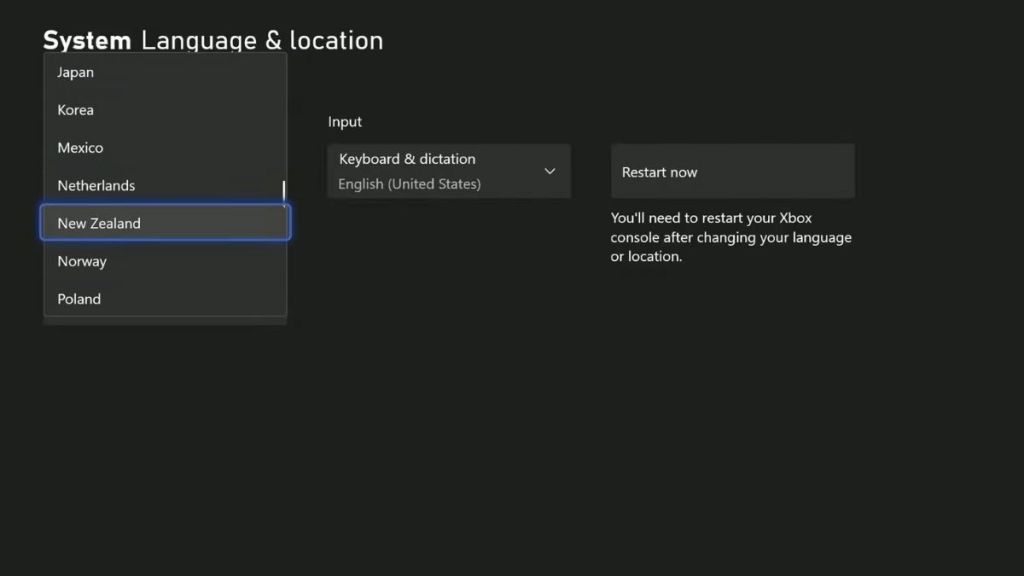
Image Credit: Xbox
- Open up the console Settings menu.
- Head to the System tab.
- Select ‘Language and Location.’
- Change your location to New Zealand.
- Now, reboot your console.
- Once that’s done, head to the official Call of Duty website.
- Just like the PlayStation method, change your Address to a NZ-based location.
- Hit Save to complete the process.
How to Play Black Ops 7 Early on PC?
The NZ trick will only work on the Xbox app . So, if you’ve purchased the game on Battle.net and Steam, you will not be able to play Black Ops 7 early. So, if you’re checking out the game through Game Pass, follow these steps:
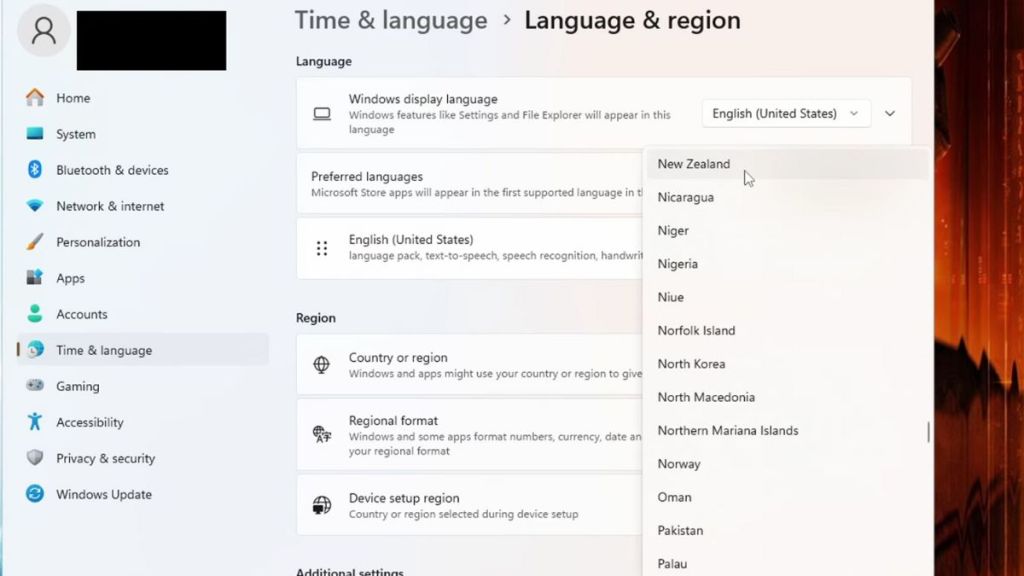
Image Credit: Microsoft
- Make sure to close your Xbox app if it’s open.
- Head to the official Call of Duty website and change your region under the ‘Basic Info’ tab.
- Now, hit the Windows button and search ‘Region Settings.’
- Change your location to New Zealand.
- Restart your computer.
- Now, log in to the Xbox app, and you should be able to play the game.
By using the New Zealand trick, you can jump into Black Ops 7 instantly.
No, the New Zealand trick does not work on any other storefront besides the Xbox app on PC.

A massive gaming nerd who’s been writing stuff on the internet since 2021, Aryan covers single-player games, RPGs, and live-service titles such as Marvel Rivals and Call of Duty: Warzone. When he isn’t clacking away at his keyboard, you’ll find him firing up another playthrough of Fallout: New Vegas.
Add new comment
Name
Email ID
Δ



