Ever since the first Apple Watch was launched, the basics of how we interact with our Apple Watch has remained pretty much the same. However, ever since watchOS 10, things have changed quite a bit. So, if you’re wondering how you can open the Control Center on your Apple Watch with watchOS 10 or 11, here’s how.
How to Access the Control Center on Apple Watch
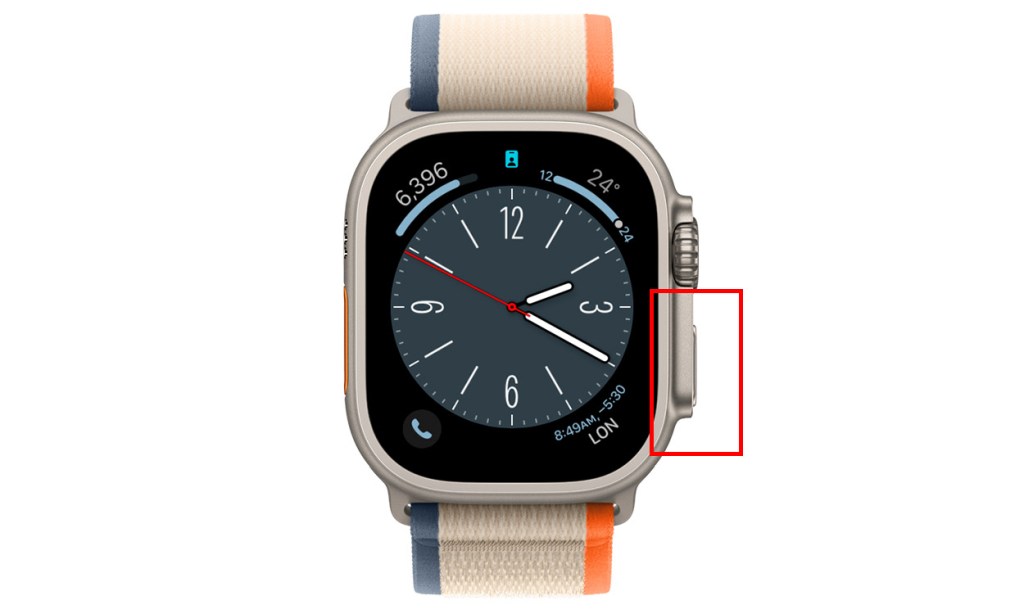
With the watchOS 10 update, swiping up from the bottom of the screen will no longer open the Control Center. Instead, it will open the Smart Stack with some really useful widgets. So, here is how to open the Control Center on watchOS 10 and above:
- Press the side button on your Apple Watch, and it will open up the Control Center.
How to Open Control Center in Apple Watch on watchOS 9 or Below
If you’re using an older Apple Watch that’s running watchOS 9 or older, the method to open the Control Center is still quite simple.
- Swipe up from the bottom of the screen to open the Control Center and that’s it.
Greetings, tech titans and fellow literary time-travelers! I’m Akshay, your tech-whisperer and Harry Potter’s number one stalker – seriously, don’t ask me how many times I’ve read those books; it’s borderline unhealthy. Working in the tech journalism industry since 2016, I have 7 years of experience covering everything from technology news, to well-researched resource articles. Now the Content Strategist at Beebom, I often pen down op-eds for our website, sharing expert commentary on the latest in technology, AI, and electric cars.
Add new comment
Name
Email ID
Δ


