Happy ghasts are one of the most useful mobs in the Minecraft ‘Chase the Skies’ drop due to their ability to fly you around the blocky world and transport mobs. With the happy ghasts, you can now transport horses, sniffers, and even pandas in your world. Since these Ghasts occupy a big 4×4 space and keep flying around, you might have a tough time mounting them or keeping them in one place. Thankfully, you can build yourself a sweet platform that solves all that. So, without further ado, let’s learn how to make a happy ghast station in Minecraft.
Items Required to Make a Happy Ghast Station
In Minecraft, you can make a simple happy ghast station on top of a platform at a decent height so that the happy ghasts don’t collide with the structures in your base. A big shoutout to FunkyJ13 on YouTube for inspiring a chunk of the design. To make the ghast station in Minecraft, you will need the following items:
- Stairs
- Building Blocks
- Fences
- Chests (inside harnesses, shears, snowballs, and leads)
- Lanterns (optional)

Image Credit: Minecraft/Mojang (screenshot by Bipradeep Biswas/Beebom)
How to Make Happy Ghast Station in Minecraft
As discussed earlier, a happy ghast station needs to be built at a higher level (at least 10-15 blocks high ) to prevent collision of the happy ghasts with other structures in your base. So, you can start by building a stairway to the platform and fence it properly to leash your happy ghasts. You can take ideas from the following steps below to build a simple happy ghast station in Minecraft:
1. Build a Stairway
The first task is to build a stairway , which can be done with stairs or any wooden or stone block in Minecraft. Here, we have used dark Oak Stairs and dark oak logs to support them. Although the stairs don’t need any additional support, we have added them simply for aesthetics.
We are using a total of 10 stairs . However, it’s totally up to you how high you want the stairway to be. So with a clear idea in mind, follow the steps below:
Place the dark oak logs first, followed by a layer of 10×3 blocks, then 9×3 , and so on, forming a staircase.
Now, place the dark oak stairs on top of each step to make it easier to walk on them.
Place dark oak logs on either side of the stairs as a single support block.
Now, you can place fences on either side so that you don’t fall, or simply because it looks better and more detailed.
Image Credit: Minecraft/Mojang (screenshot by Bipradeep Biswas/Beebom)
Image Credit: Minecraft/Mojang (screenshot by Bipradeep Biswas/Beebom)
Image Credit: Minecraft/Mojang (screenshot by Bipradeep Biswas/Beebom)
Image Credit: Minecraft/Mojang (screenshot by Bipradeep Biswas/Beebom)
Image Credit: Minecraft/Mojang (screenshot by Bipradeep Biswas/Beebom)
2. Build a Platform
Once you have placed at least 10-15 stairs, use any log or even stone blocks to build a platform of a 10×5 area if you want to keep two happy ghasts like us. A 4×4 area platform will be enough for stationing a single happy ghast . Here, we used the same dark oak logs because they match our stairs. Follow the given steps to complete this step:
- Place two dark oak logs on either side of the topmost stairs.
- Keep extending them through the length and breadth to create a rectangular platform.

Image Credit: Minecraft/Mojang (screenshot by Bipradeep Biswas/Beebom)
Note that we have placed lanterns on top of the fences beside the stairs. This is simply done for a light source, so that the station can be located from far away.
3. Fence Your Platform and Place Chests
The final step is to fence the boundary of your platform for two main reasons: prevent accidental falls and leash your happy ghasts. You can also place some lanterns on these fences so that no mob spawns here and for better visibility during the night. You can follow the image below to check out the pattern.
Place one to two chests here and store a few essential elements that you can use on the happy ghast, which are as follows:
- Harness : Helps to mount on the Happy Ghasts and ride them.
- Snowballs : Helps in luring the Happy Ghasts closer to you.
- Lead : This will help you leash them to the fences so they don’t wander off.
- Shears : To cut off the Harnesses and lead when you don’t require them anymore.

Image Credit: Minecraft/Mojang (screenshot by Bipradeep Biswas/Beebom)
4. Leash the Happy Ghasts
Now that your Happy Ghast station is ready, lure in some happy ghasts using snowballs or a lead and tie them up with the fence on either corner of the farthest end. This way, you can ride them anytime, and therefore, there is no need to find a dried ghast block every time and watch it grow for 20 minutes.

You can attach more leashed happy ghasts to the farthest fences on either side of the platform. But make sure to keep enough space between them so they don’t create clutter on the platform.
You can further beautify or customize the happy ghast station according to your requirements and creative new ideas. For example, you could give it an automated door on top and use redstone signals to bring out ghasts in the open air. Minecraft is all about creative new ideas, so grab your tools and get going.

Image Credit: Minecraft/Mojang (screenshot by Bipradeep Biswas/Beebom)

A Computer Science graduate with a passion for gaming, currently specializing in Minecraft and popular Roblox games. Apart from games, he loves travelling, and binge-watching his favorite anime and sitcoms. He also loves solving Contexto and other daily puzzle games online.
Add new comment
Name
Email ID
Δ


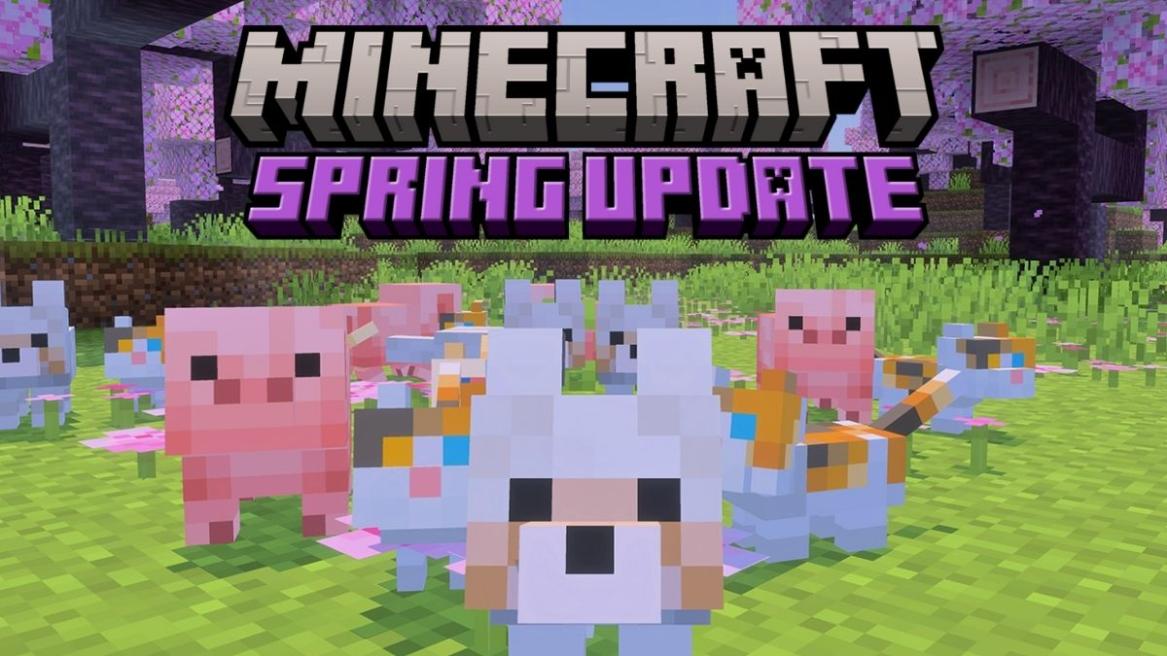
- The upcoming Minecraft 26.1 update is expected to be released in late March 2026.
- The baby mobs are getting new models, sounds, and animations.
- The Name Tags are craftable using 1 Paper and 1 Metal Nugget.
If you’re refreshing the launcher, checking the latest snapshots, and wondering when the next Minecraft update is, then you’re not alone. Rather than just being patches, the drops change the way we explore the worlds and interact with all mobs. Right now, all eyes are on Minecraft 26.1, the first drop of 2026. And, from all the snapshots released till now, we have seen texture changes for the baby mobs, a new crafting recipe for Name Tags, and more such subtle features. With that said, dive right in to know when the next Minecraft update releases, its name, and all its features as well.
Next Minecraft Update Release Date and Name
The next Minecraft 26.1 update is expected to be released around late March 2026 . And, based on the main theme of the drop, we can speculate that the name of the next Minecraft update will be “ Cute Companions. “
We have come to this conclusion by looking at the past trends of Minecraft’s game drops. Last year, Spring to Life update was released on March 25, 2025, and all later updates were planned at the end of each quarter. Therefore, the same trend will most likely be followed in 2026 as well.
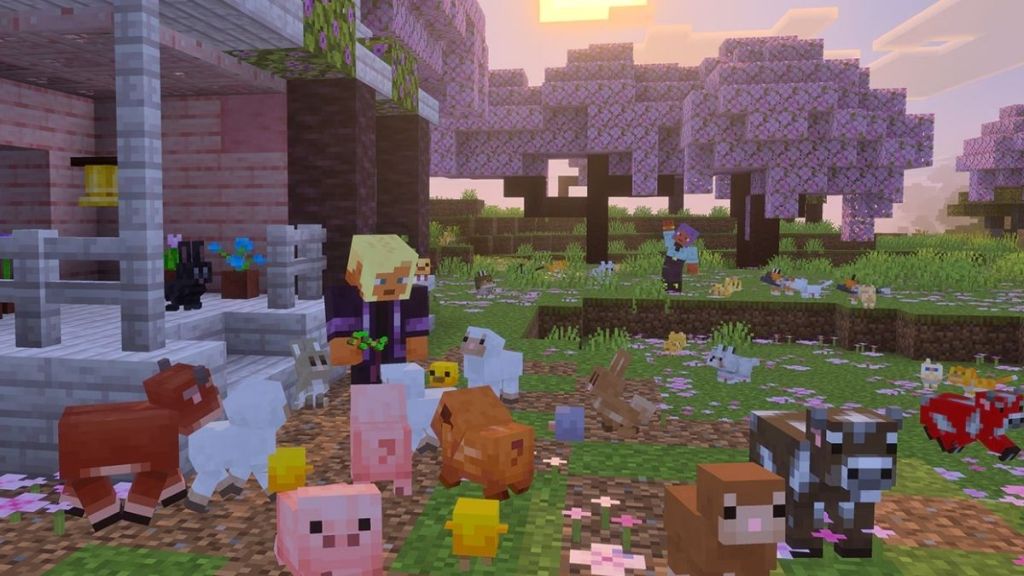
Image Credit: Minecraft/Mojang (screenshot by Bipradeep Biswas/Beebom)
Although Mojang has not yet revealed the official name or the release date of the next drop, we will update this page the moment it is announced.
New Minecraft Update Features Coming Soon
1. Baby Mob Visual Overhaul
The baby mobs model overhaul is no doubt the star of the next Minecraft update. Remember the small mobs having giant heads and a small body. Well, that won’t be the case anymore, as with the latest Minecraft 26.1 Snapshot 2 , the baby mobs are now fluffier and far more expressive.
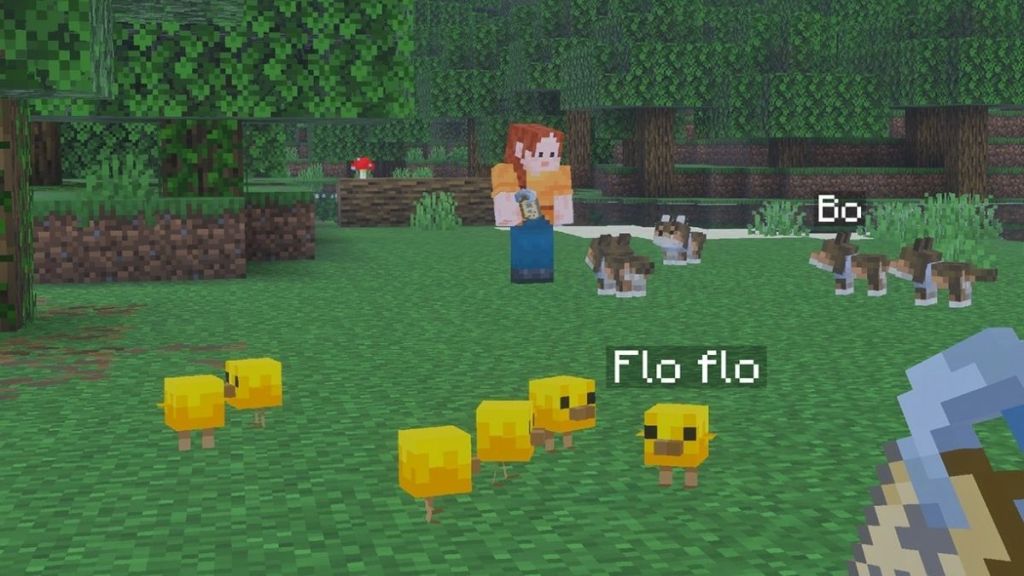
Image Credit: Minecraft/Mojang (screenshot by Bipradeep Biswas/Beebom)
Not only have the visuals been changed, but a few baby mobs, including the wolf pups, kittens, and piglets, now have brand-new sounds. While the baby chickens now have a yellow hue, both adult and baby rabbits have received new animations.
2. Craftable Name Tags
Prior to the latest Minecraft snapshot, Name Tags could be found only from the loot chests in dungeons, mineshafts, Ancient Cities, and the Woodland Mansions . But, now, you can craft these easily using 1 Paper and any 1 metal nugget (either copper, iron, or gold).
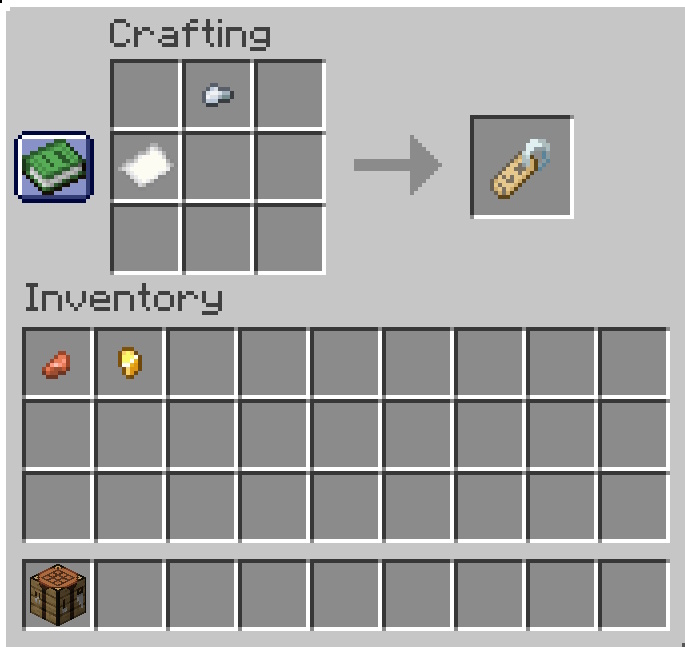
Image Credit: Minecraft/Mojang (screenshot by Bipradeep Biswas/Beebom)
This small change complements well with the main theme of the update, that is bonding with the animal mobs.
What is the Current Minecraft Update?
So, before the Minecraft 26.1 drop arrives, the current live update is Mounts of Mayhem. Mojang has redefined underwater exploration and combat by introducing new mobs, weapons, and weapons in this update.
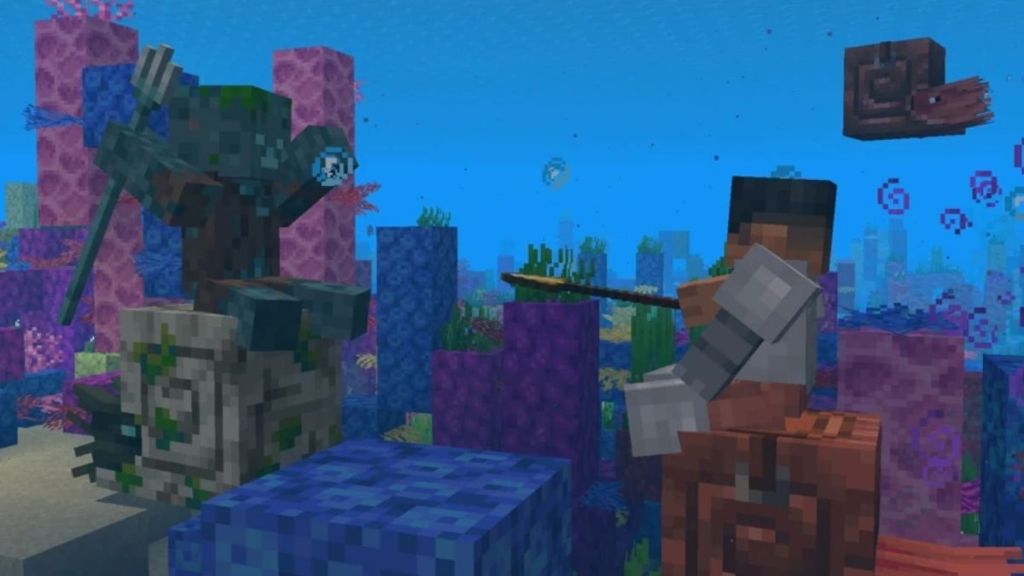
Image Credit: Minecraft/Mojang (screenshot by Bipradeep Biswas/Beebom)
Firstly, the neutral mob Nautilus can be found deep inside oceans. You can tame these creatures, ride them using a saddle, and get the Breath of the Nautilus effect to have infinite breathing underwater. However, look out for the Zombie Nautilus as the Drowned mob may be riding them with a trident.
Apart from these, other new mobs include Parched , a new hostile mob in the desert, Camel Husks , an undead variant of the Camels, and the Zombie Horses . Another important addition to this update is the Spear weapon, which introduces a new way of combat using the Jab and Charged Attack. You can further enhance this weapon with the Lunge enchantment and charge onto enemies with a short Jab attack.
The next Minecraft update 26.1, is expected to be released in late March 2026.
The upcoming Minecraft drop doesn’t have a name yet, but from the cute baby animal mobs, we can speculate the name to be ‘Cute Companions.’
You can play the brand new features of Minecraft 26.1 update by downloading the latest Java Snapshot or the Bedrock Preview on your launcher.
A Computer Science graduate with a passion for gaming, currently specializing in Minecraft and popular Roblox games. Apart from games, he loves travelling, and binge-watching his favorite anime and sitcoms. He also loves solving Contexto and other daily puzzle games online.
Add new comment
Name
Email ID
Δ
