- On iPhone 6 and later, Apple offers a built-in way to monitor the battery’s health.
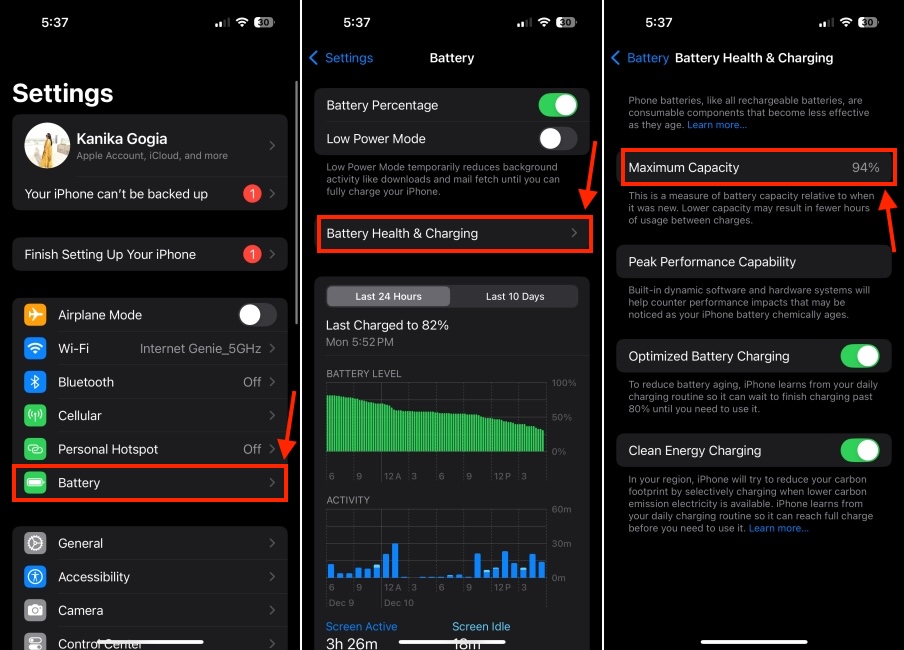
- To check iPhone battery health, go to Settings -> Battery -> Battery Health & Charging and find the Maximum Capacity.
- If your iPhone’s battery health dips below 80%, it’s time to replace your old iPhone battery.
Do you feel your iPhone doesn’t last as long as it should? Do you spend more time charging your iPhone than using it? If so, it’s time to check your iPhone battery health. Thankfully, Apple offers a built-in way to monitor the battery health of your iPhone so you know where it stands in terms of battery capacity and performance. In this article, we’ll tell you everything about iPhone battery health so can determine if the battery is healthy or needs a replacement. Without any ado, let’s begin!
Check iPhone Battery Health
Unlike the iPad, Apple offers a direct way to view battery health on iPhone and Mac. On iPhone 6 and newer running iOS 11.3 or later, there’s a Battery Health & Charging feature in the Battery section that shows iPhone battery health and other options like Optimized Battery Charging and Clean Energy Charging.
Here’s how to check battery health on an iPhone:
- Open the Settings app and tap on the Battery section.
- Now, tap on Battery Health & Charging .
- Here, check the Maximum Capacity , which is the battery health of your iPhone. The higher the number, better the battery health.
Check If Your iPhone Battery Health Is Good or Bad
The maximum battery capacity measures the device’s battery capacity relative to when it was brand new. A new iPhone will have a Battery Health of 100%. As your device gets older, the battery won’t have the same charge-holding capacity. With time, the maximum capacity might drop to the 90s, 80s, or even lower. This gives you fewer hours of usage between the charges.
Under normal conditions, iPhone 14 and earlier models are designed to retain up to 80 percent of their original capacity at 500 complete cycle charges. Whereas, the iPhone 15 series or later can retain up to 80 percent of its original capacity at 1000 complete cycle charges.
Apple says if the Maximum Capacity is more than 80% , you need not worry a lot as your iPhone has a healthy battery. On the flip side, if your iPhone’s battery health dips below 80%, you must replace your old iPhone battery. Bear in mind that if your iPhone needs a battery replacement, you’ll see a small notice at the very top and the Maximum Capacity might say Service as well.
Get Deeper Insights with Peak Performance Capability
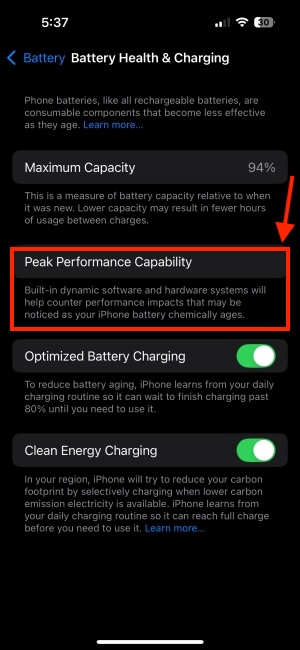
When the battery health degrades, it also impacts the ability to deliver peak performance. The Battery Health section includes a Peak Performance Capability feature that shows the battery’s current capacity to support peak performance. You can understand the Peak Performance Capability of your iPhone’s battery based on the displayed message.
1. Peak Performance is Normal
On your iPhone, go to Settings -> Battery -> Battery Health & Charging and look at the Peak Performance Capability section. If you see the message “ Your battery is currently supporting normal peak performance “, it means your iPhone’s battery can support normal peak performance without any performance management features.
2. Performance Management Appliedor Disabled
If you see the message “ This iPhone has experienced an unexpected shutdown because the battery was unable to deliver the necessary peak power. Performance management has been applied to help prevent this from happening again. Disable… “, it means performance management features are applied to your iPhone’s battery.
If you disable performance management, you’ll see the message “ This iPhone has experienced an unexpected shutdown because the battery was unable to deliver the necessary peak power. You have manually disabled performance management protections. “
Once you’ve disabled performance management, you can’t undo it. Your iPhone will automatically turn on the features again if an unexpected shutdown occurs.
3. Battery Health Degraded
If your iPhone battery health has degraded and requires a replacement, you’ll see a message that says “ Your battery’s health is significantly degraded. ” It’s worth knowing that this isn’t a safety issue. You can continue using your iPhone, just bear in mind that you’ll have to charge your iPhone more frequently and might experience several battery or performance-related issues.
For complete details on when and how to replace iPhone batteries, you can visit our dedicated iPhone battery replacement guide.
Check Battery Cycle Count
On the iPhone 15 or later, Apple also allows you to check battery cycle count . This tells you how many times you’ve charged your iPhone, helping you determine your iPhone’s battery condition. For those unaware, battery cycle count is the number of times you’ve discharged and charged the battery. One cycle is counted when your device is charged from o to 100%. If you use 50% of your iPhone’s battery and recharge it fully and you do the same thing the next day, it will be counted as one charge cycle and not two.
Here’s how to check battery cycle count on iPhone 15 or later:
- Go to Settings -> General -> About
- Scroll down to the Battery section to view Cycle Count .
It’s worth knowing that this built-in option to check battery cycle count is only available on iPhone 15 and newer models. On iPhone 14 or earlier models, you can only check the cycle count using third-party apps or the Developer mode.
That’s how you can check the battery health on your iPhone. By keeping an eye on the battery health and peak performance capability features, you can get a holistic view of your iPhone’s battery condition.
In case you wish to check your iPad’s battery health, you can visit our dedicated guide.
According to Apple, battery health of 80% or above is optimal for your iPhone.
No, there’s no way to increase the battery health. As lithium-ion batteries age, their ability to hold the charge decreases. This is a natural process and you can’t control it. That said, optimize some settings to extend the battery lifespan.
You don’t need to replace an iPhone battery at 85%. As per Apple, battery health of 80% or above is considered normal. So, you can wait for some time before going for a battery replacement.
The only way to make the battery health back to 100% is to replace the iPhone battery when it’s time.
On your iPhone, go to Settings -> Battery -> Battery Health & Charging. If the Maximum Capacity says ‘Service’, the battery needs a replacement. Also, if you experience unexpected shutdowns or extremely lower on-screen time, it’s time to replace your iPhone battery.
Kanika has been a loyal iPhone user since 2014 and loves everything Apple. With a Master’s in Computer Applications, passion for technology, and over five years of experience in writing, she landed at Beebom as an Apple Ecosystem Writer. She specializes in writing How To’s, troubleshooting guides, App features, and roundups for Apple users to help them make the best use of their gadgets. When not writing, she loves to try out new recipes and enjoy some family time.
Add new comment
Name
Email ID
Δ


- Apple and Google have officially confirmed their team-up for the next-gen Siri AI.
- The Cupertino Giant will be using Google’s Gemini for a more personalized Siri model as well as Apple Intelligence features.
- We can expect the next-gen Siri to come out with iOS 26.4, sometime in March or April.
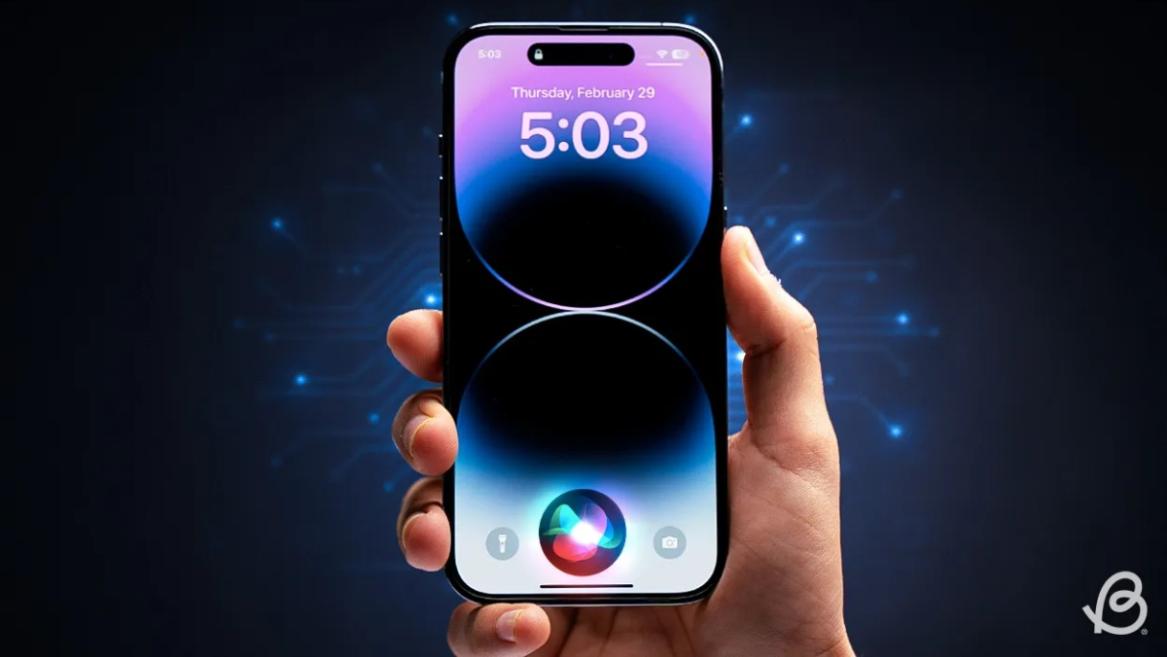
Apple has officially confirmed joining forces with Google to use its Gemini AI model to power the next-generation Siri. It will offer a more personalized experience and will be coming out with the iOS 26.4 update. Apple also plans to leverage Gemini’s capabilities for other Apple Intelligence features as well, later down the line.
The Next-Gen Siri will be powered by Google’s Gemini AI
Apple officially confirmed that it will be partnering with Google in a statement to CNBC . Here’s what it stated, “After careful evaluation, we determined that Google’s technology provides the most capable foundation for Apple Foundation Models, and we’re excited about the innovative new experiences it will unlock for our users.”
Later, Google also shared a post on X confirming the tie-up, “Apple and Google have entered into a multi-year collaboration under which the next generation of Apple Foundation Models will be based on Google’s Gemini models and cloud technology. These models will help power future Apple Intelligence features, including a more personalized Siri coming this year.”
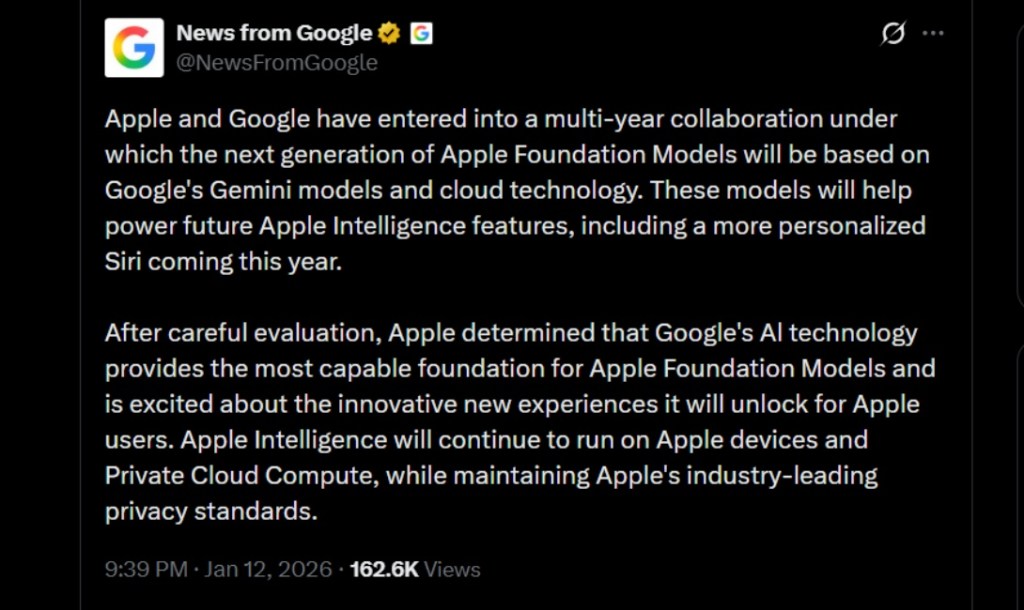
Image Credit: X/@NewsFromGoogle
Both statements clearly mention that the Cupertino Giant will be using Gemini to power its assistant Siri. This was already rumored, as Apple’s attempts to acquire Perplexity went nowhere. With Gemini, Siri will get a major AI update . It will be able to handle more nuanced conversations and provide better results. Something long-time Apple users have been asking for years.
The next-gen Siri will arrive with the iOS 26.4 update, which will launch sometime in March or April. And it is only going to be available for Apple Intelligence-supported devices .
Something else worth noting is how Google’s statement mentions that Gemini will power Apple Intelligence features. This leads us to believe that Apple could use Gemini’s multi-modal capabilities for its Writings tools , Image Playground , and Message summaries, too.
Elon Musk Not Happy With Apple and Google Tie Up
xAI CEO Elon Musk also responded to Google’s announcement post on X, sharing his thoughts on the matter by saying, “This seems like an unreasonable concentration of power for Google, given that they also have Android and Chrome.” Though we don’t expect either Apple or Google to respond to Elon, we will update the situation as it progresses.
It is worth noting that xAI is the company behind Grok, which is in hot water currently due to its inappropriate image generation fiasco , and has been getting backlash from multiple news outlets, X users, and even government authorities.
With over 4 year of experience under the belt, I cover all facets of consumer tech, from smartphones to other consumer electronics, our favorite social media apps, as well as the growing realm of AI and LLMs. As an Apps and AI writer app Beebom, I provide my expertise in all these areas, weaving stories that help you get familiar with the tech around you. But you will find me playing NYT daily puzzles in my free time.
Add new comment
Name
Email ID
Δ
