As handy as AirDrop is for transferring files easily and quickly, it can sometimes be difficult to recognize other devices, since a lot of them might simply be called “iPhone”, “MacBook Air” etc. Which means that personalizing your AirDrop name can come in handy for you. So, if that’s something you want to do, here’s how to change your AirDrop name on iPhone, iPad and Mac.
How to Change AirDrop Name on iPhone or iPad
Changing your AirDrop name on iPhone is a very simple process. All you have to do is change your iPhone name in settings and you’re good to go. Here are the steps you need to take:
- Go to Settings -> General -> About
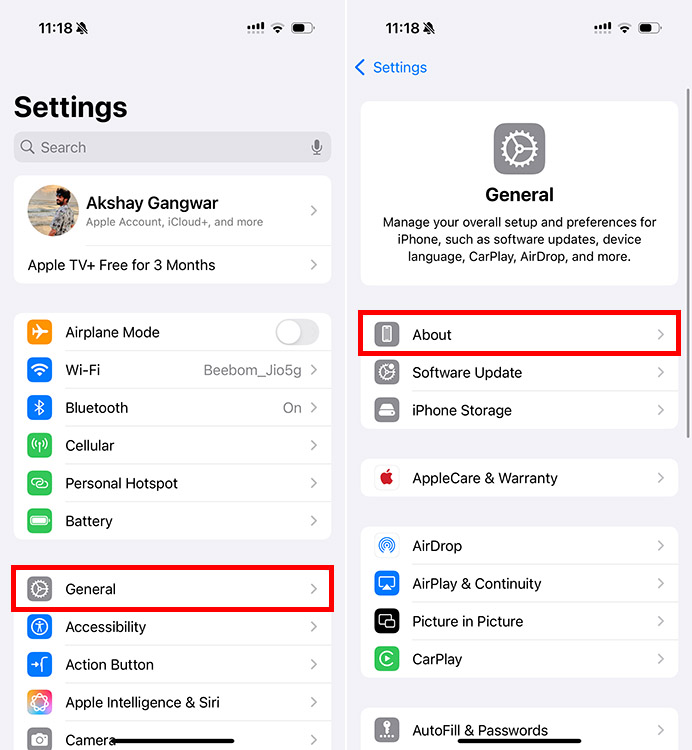
- Tap on “ Name ” and tap on the ⓧ icon to clear the current name
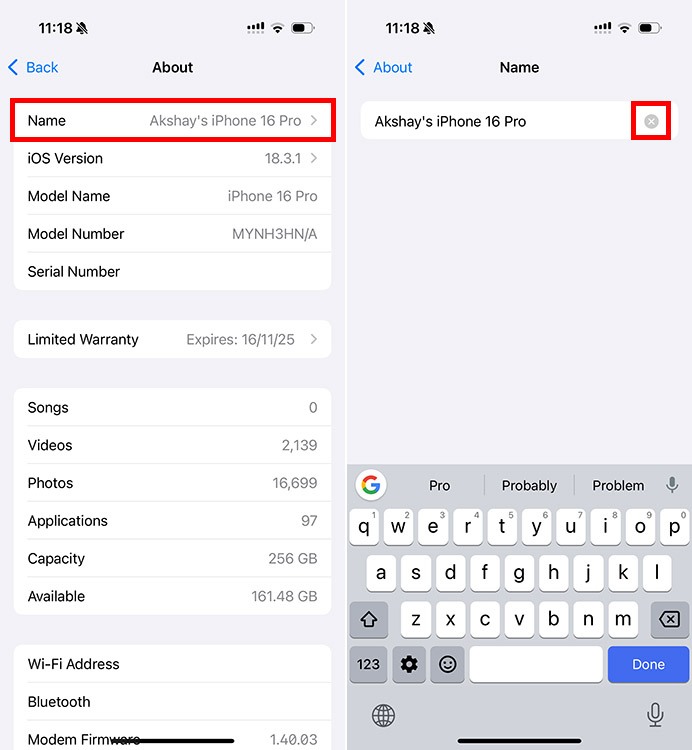
- Enter the new name, and tap on the back arrow to save it

That’s it. Your iPhone name will now be changed. This will reflect in AirDrop, and also for Personal Hotspot, on Finder, and other places where your device name is displayed.
How to Change AirDrop Name on Mac
If you’re looking to change the AirDrop name for your Mac, thankfully the process is just as simple. Here’s how you can do this:
- Go to System Settings -> General -> About
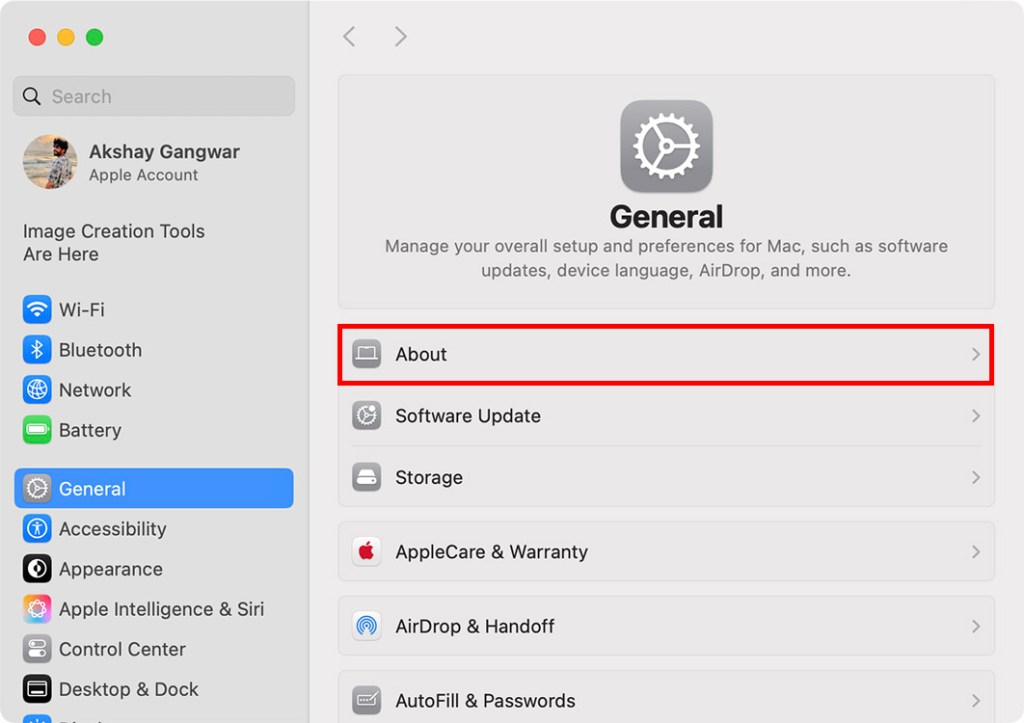
- Click on your current Mac name and authenticate the request with your password or TouchID
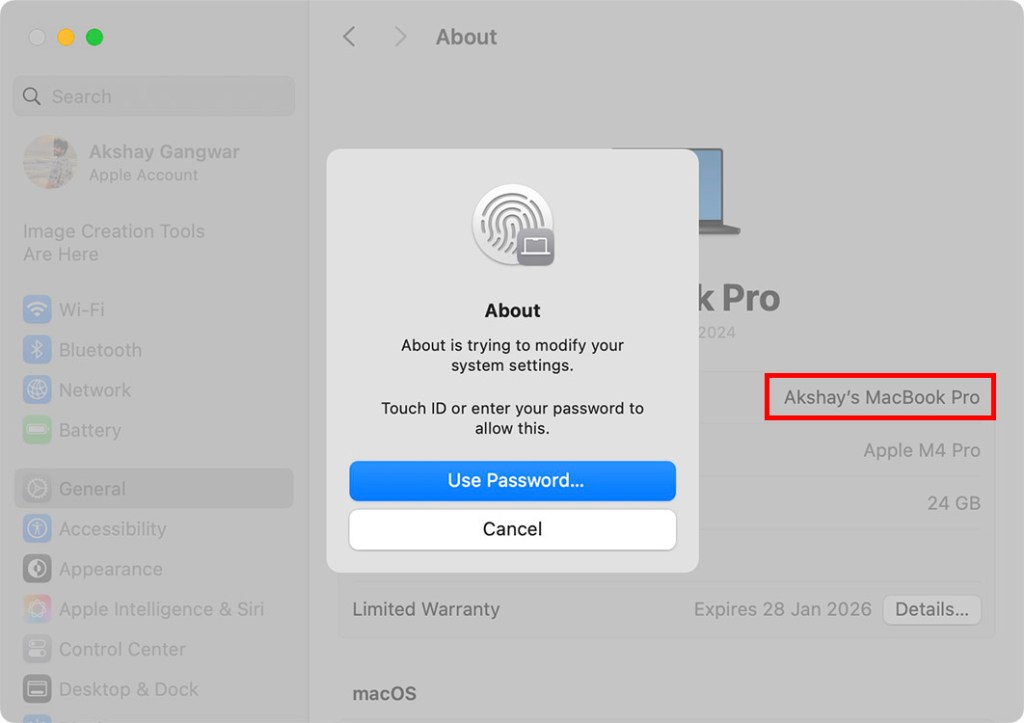
- Type in the new name that you want
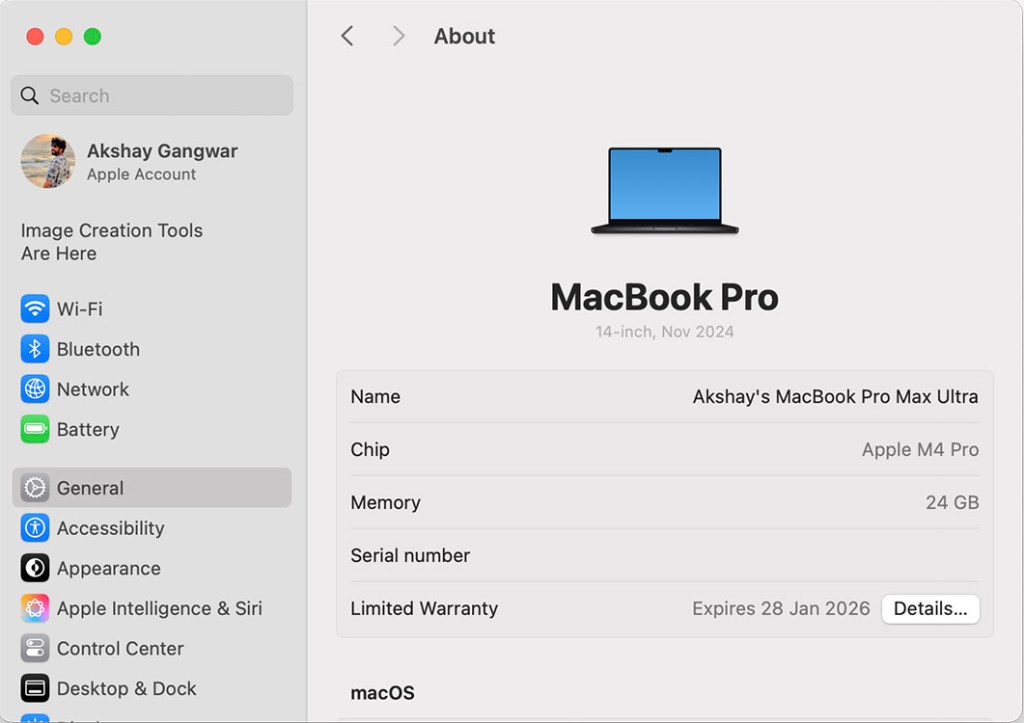
That’s pretty much it, your Mac will now use the new name for AirDrop.
Unfortunately, you can’t make your AirDrop anonymous, but you can change your AirDrop name so others can’t identify you.
Apple has kept your AirDrop visibility confined to your contacts only, but you can change it to everyone from settings.
Go to Settings -> General -> AirDrop to change your AirDrop settings
Greetings, tech titans and fellow literary time-travelers! I’m Akshay, your tech-whisperer and Harry Potter’s number one stalker – seriously, don’t ask me how many times I’ve read those books; it’s borderline unhealthy. Working in the tech journalism industry since 2016, I have 7 years of experience covering everything from technology news, to well-researched resource articles. Now the Content Strategist at Beebom, I often pen down op-eds for our website, sharing expert commentary on the latest in technology, AI, and electric cars.
Add new comment
Name
Email ID
Δ


