If you’ve got a hectic schedule or like to plan things, a calendar app can help you manage time and improve productivity. That said, with hundreds of apps available on the App Store, it can be difficult to decide on the one that suits your requirements. If you are looking for a calendar app for your iPhone, you’re in luck! We’ve listed the 10 best calendar apps for iPhone that should be on your radar.
1. Apple Calendar
Ok, so no surprise that our first is the Apple Calendar, and here’s why. It comes pre-installed on an iPhone, and it’s one of the best free calendar apps out there. One thing I like about it is that it’s easy to use and beautifully integrated with other iPhone apps like Notes, Siri, and Messages. And no calendar app works as seamlessly across all Apple devices as Apple’s own Calendar client.

You can view, edit, and create events, and if you’ve added a location, and lets you sync other calendars like Google Calendars and Microsoft Outlook to manage your personal and professional calendars within a single app. However, it doesn’t offer a lot of features that power users would prefer. Still, it’s a great option for users who need a basic calendar app for iPhone.
2. Fantastical Calendar
This is one of the most recommended option when it comes to calendar apps and I can see why. Fantastical Calendar is the cremè de la cremè of calendar apps. To start, it has a very neatly designed home page that shows all your events, reminders, and even weather forecasts. It also shows your to-do’s right alongside your events . After all, where else should they be?

It also has Natural Language support . So, you can type in something like “Flight to Lucknow on Sunday at 12:30,” and the app will automatically create an event on Sunday, at 12:30, titled “Flight to Lucknow”. Fantastical seamlessly integrates with Siri, Reminders, and Shortcuts. You also get 10 widgets for the Home Screen, Lock Screen, and StandBy Mode . In short, it’s a feature-loaded alternative to Apple Calendar that you should surely try.
Pricing: Premium plan starts at $6.99/month
3. Tick Tick
Tick Tick is another feature-rich option that not only helps you manage your schedule but also organizes tasks for you. It has a well-laid-out interface that you will be able to understand from the get-go. You can sync your events from other calendar apps, making the setup process easy. However, the highlight has to be the Eisenhower Matrix which automatically categorizes tasks based on urgency and importance . So you can focus on the things that need to be done first.

Those of you who have trouble focusing can use the built-in Pomodoro clock to make sure you don’t waste any unnecessary time. You might be thinking that all this must come at a hefty price but nope! You can use it for free. But features like different calendar views and themes are locked behind the Premium version.
Pricing: Free, Premium plan starts at $3.99/ month
4. Google Calendar
No calendar app is as widely popular as Google Calendar because it is the most convenient option for many users. The reason is simple: we all have to use a Google account these days, no matter what. So why not go with an app that directly syncs with the entire suite of Google apps like Gmail, Meet, Maps, Drive, and more?

So, you can easily add flight reservations or online meetings from your Gmail to the calendar. Events, reminders, tasks, etc, can even be set as recurring events. The app displays all the information in nice, large, colored cards. It lets you customize your calendar to some extent, like setting another day as the start of the week or setting custom timezones. Like Apple Calendars, the Google Calendar is also free, provided you have a Gmail account.
Pricing: Free
5. Calendars: Planner & Organizer
Calendars: Planner & Organizer is one of the most versatile and easy-to-use calendar apps for iPhone. The app is often featured in productivity apps charts owing to its rich feature set and intuitive interface. In this app, you can integrate calendars from other apps, including Google, iCloud, or Outlook, as well as calendars from Google Tasks and Reminders. The all-in-one app is also a task manager as you can drag an drop tasks directly into the calendar.

With this calendar app for iOS, you can create templates for frequently executed events like reading, workouts, and medication. If you have a Mac, you will benefit from the companion app on the Mac, which comes with a coded calendar, event creation, and integration with Zoom and Google Meet. There’s also a free version available, but sadly, most of the useful features are behind a paywall.
Price: $19.99 / month
6. Timepage
If style over substance was an app, then I feel Timepage would surely win that category. This is a uniquely designed calendar app that looks more like a digital diary. Its vertically scrolling list lets you swipe naturally through your daily schedule and you can swipe from the left to get a full view of the monthly calendar. It also syncs with your Apple and other calendars making the setup process quite simple.

You can set a color of your preference that will take over the entire interface and every swipe is accompanied by a sound, which is a nice touch. As for features, it offers all the things that you expect from a calendar app but nothing too advanced. However, one downside is that it is not free to use . You can download it for free, but to add events and use it, you will have to get the Moleskin Studio bundle. It’s a good alternative if you want a sleek-looking calendar app for your iPhone.
Price: The plan starts at $2.49/ month
7. Any.do
Here we have another task management app like Tick Tick bundled with a calendar planner. Any.do will help manage your tasks and organize your life in a child’s play. It has a crisp and minimal interface that doesn’t overwhelm you with unnecessary features, only focusing on the essentials. Compared to other apps in this list, I like how well and quickly it integrates with the Apple Calendar, Slack, and WhatsApp.

Its features include location-based reminders , recurring events, event creation using natural language, and Siri and Alexa voice command support. The “My Day” feature shows a full-fledged plan for your day by importing your upcoming events. In minutes, you can create shopping and grocery lists on your iPhone . The app offers some limited features for free, you can unlock all the benefits with a subscription model.
Pricing: Free, starts at $9.99/month
8. Microsoft Outlook
Like Google Calendar, if your work or day-to-day life revolves around Microsoft’s suite of apps then Microsoft Outlook could be a good option for you. I know this is an email app but it also serves as a beautifully designed, simple, and easy-to-use calendar app. This in turn offers you the convenience of staying on top of your inbox and up to date with your schedule.

The calendar itself has many features including several viewing options, you can add tasks, events, and reminders to it and use your voice to do the same. Though it might not be everyone’s preferred option, it does make it easy to manage your schedule and emails all from one place. Plus it’s free to use . Putting it simply, it’s one of the best work email and calendar apps for iPhone users.
Pricing: Free
9. TimeTree
TimeTree isn’t just an app for you but will help manage schedules for your entire family. It’s one of the best-rated family calendar apps for an iPhone loved for its advanced functionalities and fantastic sharing abilities. You can select the calendar type between- Family, Relationship, Work, Friends, or Personal . Then you’ll be greeted with a sleek and nice interface. You can seamlessly sync other calendars on your device like Apple Calendar and Google Calendar.

It has easy sharing abilities and lets you chat to discuss important details related to events and tasks. Also, you can share notes or memos for events with no fixed dates. Pin important events, post images about the event, send reminders, and have a bunch of widgets so you can quickly glance at your tasks. them while planning or rescheduling other events. So if you and your spouse are trying to get your schedule in order, then this is the best app to go with.
Pricing: Free, starts at $4.49/month
10. Minical
Minical, as the name suggests is a lightweight, simple, and pretty basic calendar app that does share some similarities to Apple Calendar in the looks department. The design is pretty minimal with a dark background and zero frills. You can just tap on a date to add events to it and scroll up to see upcoming events. You can tag each event with a different color if you want to.

It syncs with your Apple and Google Calendars and will dim past events so you don’t confuse them with the new ones. Other than that, you can change its theme, font, starting day of the week, app icon, and appearance but that’s just about it. Besides light and dark, the rest of the themes are unlocked when you donate to the app. If you are looking for a functional calendar app for iPhone then give Minical a try.
Pricing: Free , One-time purchase of $11.99

With over 4 year of experience under the belt, I cover all facets of consumer tech, from smartphones to other consumer electronics, our favorite social media apps, as well as the growing realm of AI and LLMs. As an Apps and AI writer app Beebom, I provide my expertise in all these areas, weaving stories that help you get familiar with the tech around you. But you will find me playing NYT daily puzzles in my free time.
Add new comment
Name
Email ID
Δ

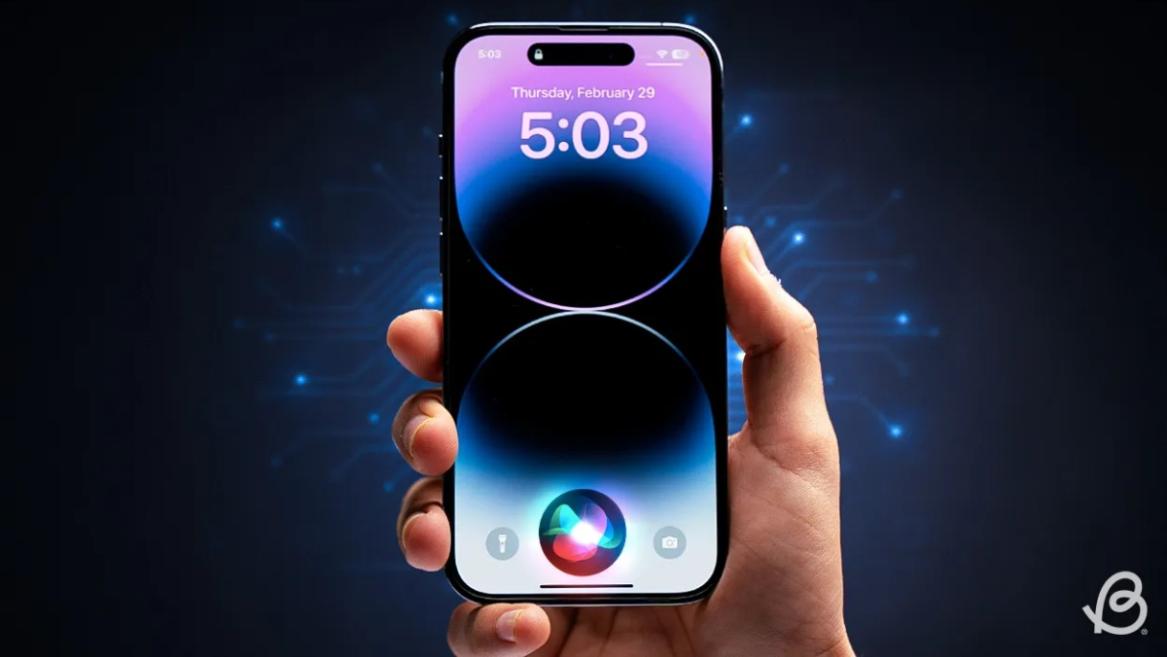
- Apple and Google have officially confirmed their team-up for the next-gen Siri AI.
- The Cupertino Giant will be using Google’s Gemini for a more personalized Siri model as well as Apple Intelligence features.
- We can expect the next-gen Siri to come out with iOS 26.4, sometime in March or April.
Apple has officially confirmed joining forces with Google to use its Gemini AI model to power the next-generation Siri. It will offer a more personalized experience and will be coming out with the iOS 26.4 update. Apple also plans to leverage Gemini’s capabilities for other Apple Intelligence features as well, later down the line.
The Next-Gen Siri will be powered by Google’s Gemini AI
Apple officially confirmed that it will be partnering with Google in a statement to CNBC . Here’s what it stated, “After careful evaluation, we determined that Google’s technology provides the most capable foundation for Apple Foundation Models, and we’re excited about the innovative new experiences it will unlock for our users.”
Later, Google also shared a post on X confirming the tie-up, “Apple and Google have entered into a multi-year collaboration under which the next generation of Apple Foundation Models will be based on Google’s Gemini models and cloud technology. These models will help power future Apple Intelligence features, including a more personalized Siri coming this year.”
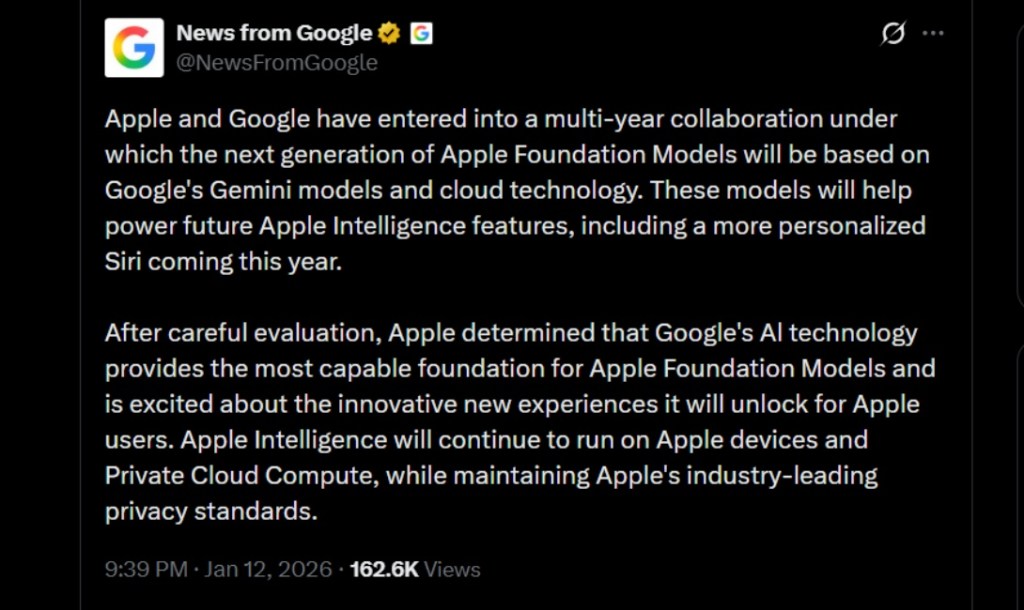
Image Credit: X/@NewsFromGoogle
Both statements clearly mention that the Cupertino Giant will be using Gemini to power its assistant Siri. This was already rumored, as Apple’s attempts to acquire Perplexity went nowhere. With Gemini, Siri will get a major AI update . It will be able to handle more nuanced conversations and provide better results. Something long-time Apple users have been asking for years.
The next-gen Siri will arrive with the iOS 26.4 update, which will launch sometime in March or April. And it is only going to be available for Apple Intelligence-supported devices .
Something else worth noting is how Google’s statement mentions that Gemini will power Apple Intelligence features. This leads us to believe that Apple could use Gemini’s multi-modal capabilities for its Writings tools , Image Playground , and Message summaries, too.
Elon Musk Not Happy With Apple and Google Tie Up
xAI CEO Elon Musk also responded to Google’s announcement post on X, sharing his thoughts on the matter by saying, “This seems like an unreasonable concentration of power for Google, given that they also have Android and Chrome.” Though we don’t expect either Apple or Google to respond to Elon, we will update the situation as it progresses.
It is worth noting that xAI is the company behind Grok, which is in hot water currently due to its inappropriate image generation fiasco , and has been getting backlash from multiple news outlets, X users, and even government authorities.
With over 4 year of experience under the belt, I cover all facets of consumer tech, from smartphones to other consumer electronics, our favorite social media apps, as well as the growing realm of AI and LLMs. As an Apps and AI writer app Beebom, I provide my expertise in all these areas, weaving stories that help you get familiar with the tech around you. But you will find me playing NYT daily puzzles in my free time.
Add new comment
Name
Email ID
Δ
