After the recent AI boom, images have seen the biggest advancements and improvements in our digital lives. While you can modify images using AI photo editors, to upscale existing images to 4K or 8K resolution, you can use dedicated AI image upscaler tools. You can restore lost details, make images unblurry, fix pixelated photos, and do much more with AI image upscalers. So without any wait, let’s explore the list.
Best AI Image Upscalers Compared
1. Upscayl
Upscayl is a free and open-source program that can upscale your images in no time. It’s available on Windows, macOS, and Linux, and the developer has brought its AI image scaler tool to the cloud too. Currently, the cloud service is in beta and it’s one of the best AI tools out there.
However, you can run it on your computer locally and upscale low-resolution images to high-resolution images. It offers five different modes to choose from and uses your GPU to sharpen blurry images.

The best part is that you can batch upscale images with this program which is not available on other free tools. The tool supports PNG, JPG, and WEBP image formats and supports models like General Photo, Digital Art, Real-ESGRAN, REMACRI, and more . In my testing, I liked the no-nonsense UI, and Upscayl quickly restored the image details using AI.
Platforms : Windows, macOS, Linux, and Web Price : Free, Cloud plan starts at $24.99 per month
2. ImgUpscaler
ImgUpscaler is our next tool on this list that lets you upscale images up to 4x resolution for free . You can upload PNG and JPG photos and get them upscaled in no time. The online tool also offers batch upscaling and larger resolution, but it’s only available to paid users, starting at $19 per year. You will get 100 credits per month under this plan, which is decent.

According to the service, all your photos are uploaded to the cloud, but they are removed within 24 hours . For anime, cartoons, and even facial photos, ImgUpscaler is a great service and you should give it a try. If you are in a hurry and want to upscale images using Artificial Intelligence (AI) , check out this tool.
Platforms : Web, Android, and iOS Price : Free up to 20 credits, Paid plans start at $19 per year
3. SuperImage
Unlike online AI image upscaler tools, SuperImage is a fantastic AI app for Android that allows you to upscale an image locally on your device, and that too without an internet connection. This is an amazing app for users who are paranoid about their privacy and don’t want to upload personal photos on online services.

It can seamlessly sharpen any low-res image up to 16x without any charge. The app is free to use. However, if you want to use custom upscaling models, you can install its paid SuperImage Pro app. The app uses a neural network with a deep learning framework along with a Real-ESRGAN algorithm to upscale your image. It uses your device’s GPU to restore the details of the image.
SuperImage is available on Android and Windows for now, but the developer says it’s also coming to macOS and Linux very soon. So, I would say, if you have a flagship Android phone or a powerful PC, go ahead and try this tool.
Platforms : Android, and Windows Price : Free (with ads)
4. Topaz Gigapixel
Gigapixel AI by Topaz Labs is a powerful AI image upscaler that comes at a price. If you are a photographer or a video creator, Gigapixel AI should be your first choice as it can also upscale your videos. It’s used by corporations like Netflix, Warner Bros, Disney, Apple, and more.
Gigapixel AI uses deep learning to restore video footages and enhances the detail in a customized way, which other services don’t provide.

The models are continuously trained on a large variety of images to understand the scenes and fill in the pixels to give a natural look. So be it portraits, wildlife photos, landscapes , or architecture, Gigapixel AI can be the best AI image enhancer for you.
With all that said, the program is not free, and you’ll need to pay $12 per month to use the AI tool. That said, users can use the online version for free via this link .
Platforms : Windows, macOS, and Web Price : Free, Paid plan starts at $12 per month
5. Pixelcut

If you want to upscale images up to 4x, you will have to pay for the Pro plan. In my testing, Pixelcut did a decent job, and increased the resolution, but couldn’t add more details. By the way, there is a Midjourney Upscaler as well if you want to improve the quality of AI images generated using Midjourney . And you can also upscale logos using the dedicated tool.
Platforms : Web, Android, and iOS Price : Free, Paid plan starts at $10 per month
6. Upscale.media
The best thing about upscale.media is that you can upscale up to 4x resolution for free . Generally, free websites have limited options up to 2x. Moreover, this upscaler is available as Android and iOS apps.

Upscale.media supports popular image formats, including PNG, JPEG, JPG, and WEBP. Having said that, your photos will be uploaded to the cloud for AI image processing so keep that in mind, Overall, it’s an effortless solution for turning low-quality images into highly-detailed photos.
Platform : Web, Android, and iOS Price : Free, Paid plan costs $29 for 300 credits
7. Image Scaler by Jasper
The AI image upscaler by Jasper works wonders. I have personally used the AI tool many times in the past, and I can say that it’s easier to use and does a fantastic job at upscaling images without sharpening the image too much. Jasper has created a great AI image-editing platform called Clipdrop where you can access many such tools.

The paid plan also brings access to a faster model for AI image generation , relighting, text remover from images, and much more. In case, you want to upscale images while also adding details to the image, you can do that too on Clipdrop. Put simply, the free tool is good enough for most users , and I think you should definitely check it out for image upscaling.
Platforms : Web Price : Free, Paid plan starts at $10 for 1000 credits
8. Freepik AI Image Upscaler
Freepik is one of the popular AI tools and it offers an AI image upscaler too. You can upload low-res images and Freepik will add crisp details and rich texture to your images using AI. It has Classic and Magnific models, which support upscaling up to 16x resolution. Freepik offers various custom options before upscaling such as defining presets, creativity level, resemblance, etc.
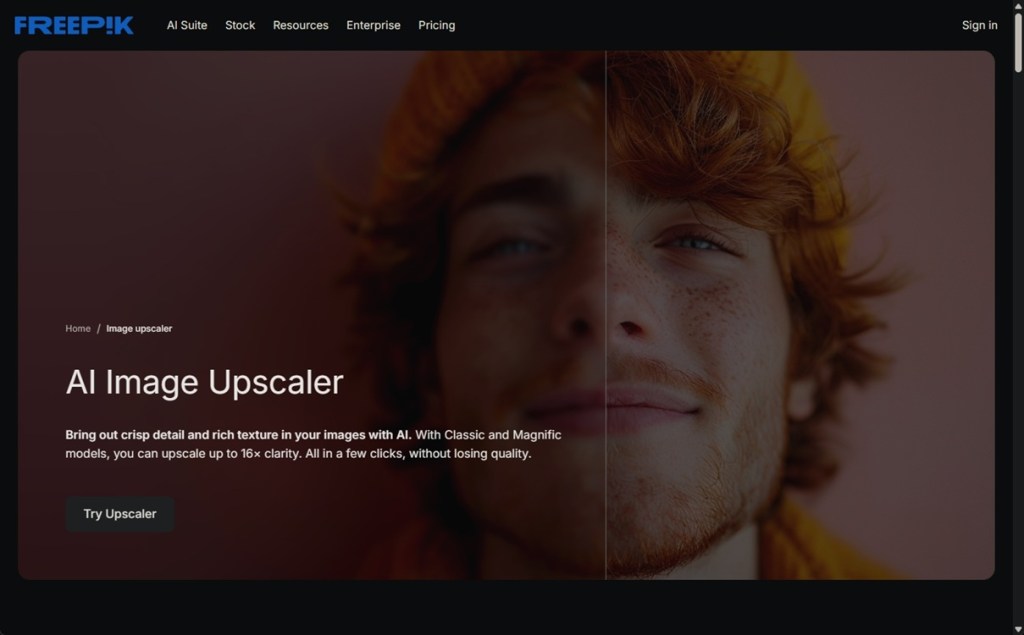
In fact, you can also add a custom text prompt in case you want to slightly modify your image while upscaling. Not to mention, you can customize HDR levels too without any issue. In addition, Freepik offers Skin Enhancer along with its image upscaler, so you can choose to improve skin textures while enhancing the image resolution.
Platforms : Web, Android, and iOS Price : Free, paid plan starts at $5.75 per month
9. Let’s Enhance
Along with that, you will get support for image lighting, tone enhancement, color enhancement, and background removal — all powered by AI. In my testing, its upscaled images were on par with other service providers.

However, under the free tier, it only does 2x upscaling so you will have to make peace with that. Apart from that, free users only get 10 credits, and you will have to pay $9 per month for 100 more credits. It also unlocks larger resolutions and a plethora of new features.
If you’re looking for a tried-and-tested online service for AI photo enhancement, go ahead and try Let’s Enhance.
Platforms : Web Price : Free up to 10 credits, Paid plans start at $9 for 100 credits
10. OpenModelDB
OpenModelDB is not for everyone, but if you are a technical user, you can use this platform to find the best AI upscaling models. It’s a community-driven repository where hundreds of dedicated AI models are available for image upscaling. If you want to upscale cartoon images, Anime images, video frames, game textures, Manga, Pixel art, etc., you can find the suitable model for your use-case here.

To run these custom AI upscaling models, you will have to use another program such as ChaiNNer, Upscayl, ComfyUI, or Topaz Gigapixel. Of course, you will need a slightly capable computer with decent hardware to run these models locally. So go ahead and check out OpenModelDB to find image upscaling models tailored to your specific image type.
Platforms : Web, Windows, macOS, Linux Price : Free

Passionate about Windows, ChromeOS, Android, security and privacy issues. Have a penchant to solve everyday computing problems.
Add new comment
Name
Email ID
Δ

